
The URL must resolve to a public internet address. AppSignal rejects URLs that point to
localhost, a private network range, or another internal address. AppSignal also checks the address before each request. A saved URL that resolves to an internal address receives no notifications, and the notifier’s log shows “Request blocked: URL does not resolve to a public address”. To receive notifications again, change the URL to a public address.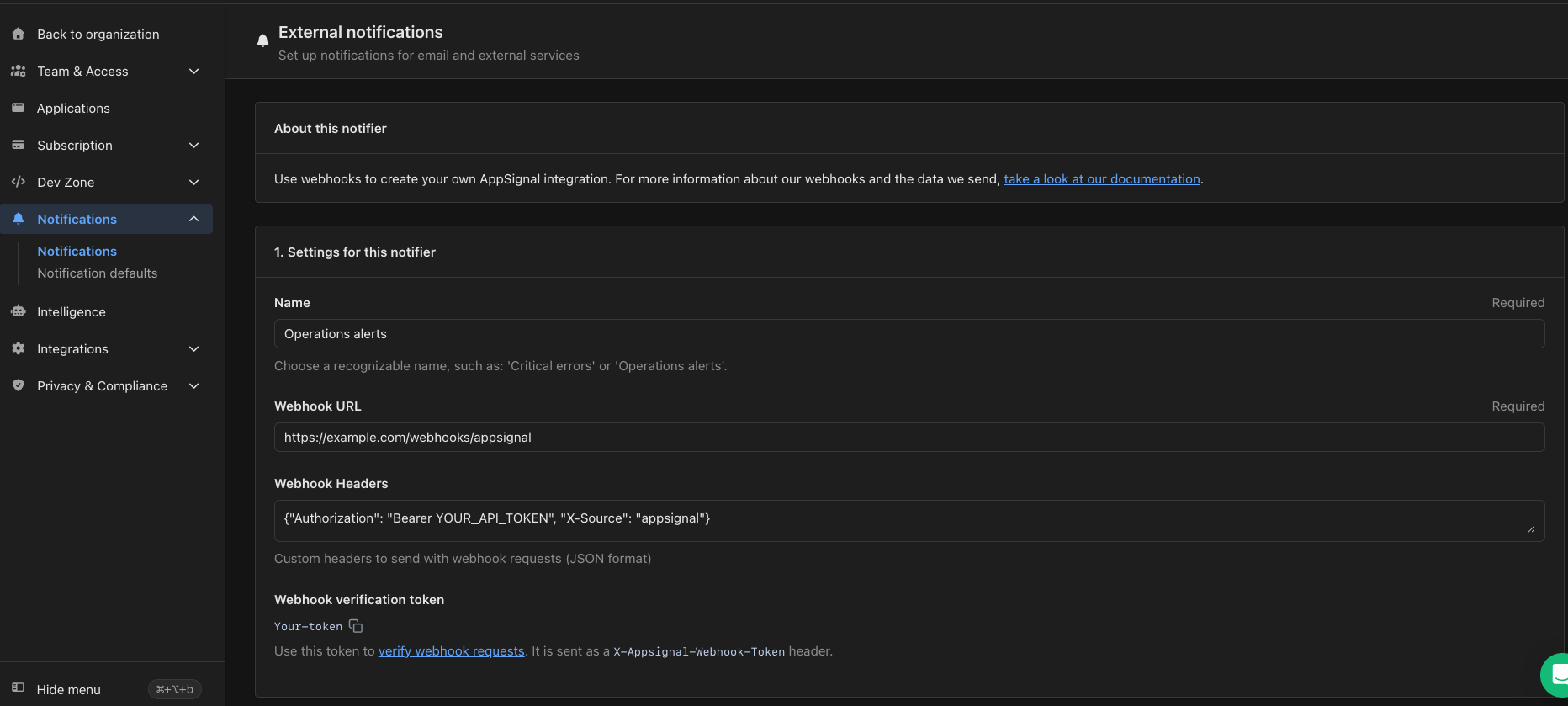
Settings for a webhook notifier, including its URL and verification token
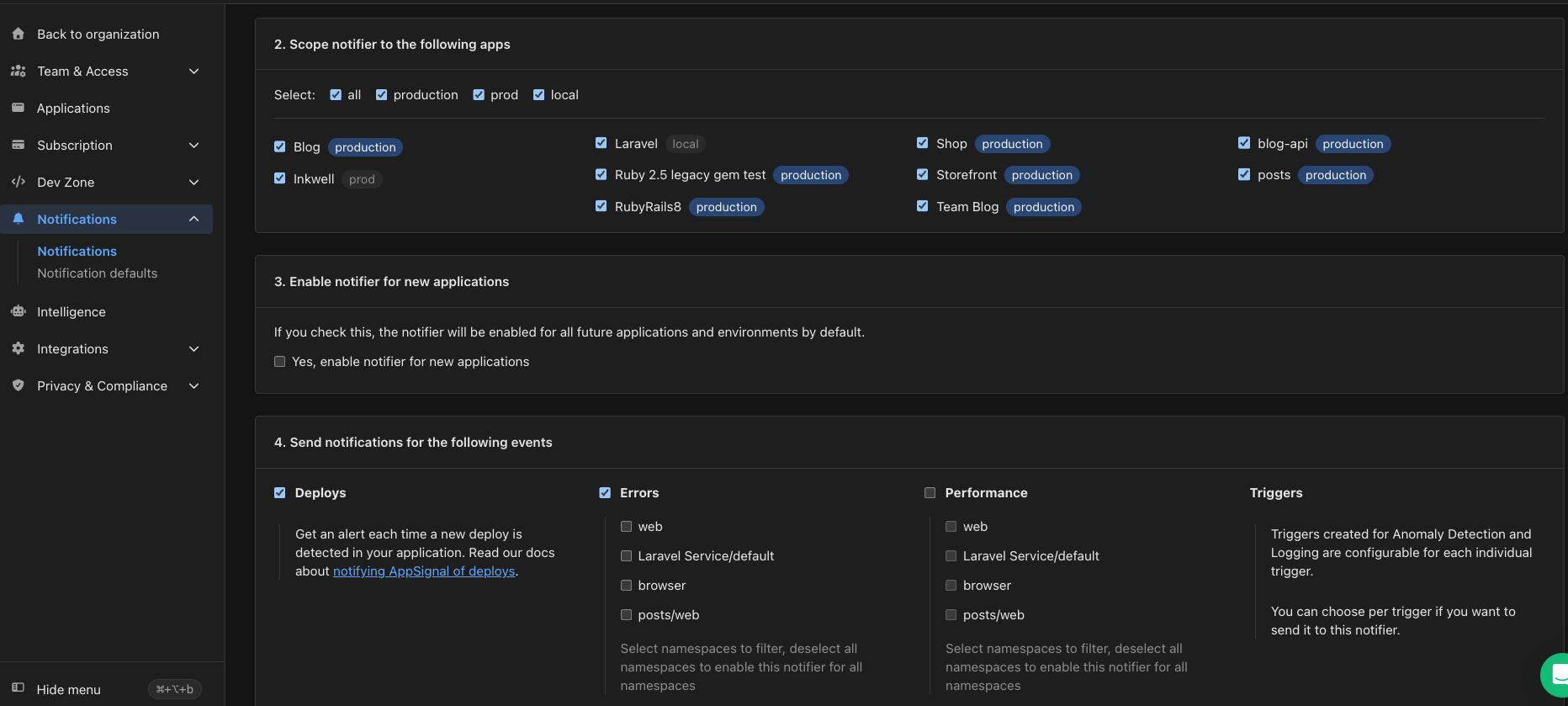
Choose which apps and events the webhook notifier covers
Verifying AppSignal webhook requests
To ensure the security of your application, you can verify that incoming webhook requests are genuinely from AppSignal. Verification is done by using a Webhook verification token to validate the request’s signature.Locating your Webhook Verification Token
- Go to Notifications in your AppSignal organization.
- Select Manage next to the webhook notifier you want to verify.
- Under Settings for this notifier, find the Webhook verification token.
Verifying a request
When AppSignal sends a webhook request, it includes a signature in theX-Appsignal-Signature header. You can validate the request as follows:
- Concatenate the AppSignal Webhook verification token with the raw request body.
- Generate a SHA256 hash of the concatenated string.
- Compare the generated hash to the value in the
X-Appsignal-Signatureheader.