Setup
In OpsGenie
You need an OpsGenie API key and the API URL for your OpsGenie region. To find both, follow Atlassian’s guide to getting OpsGenie API information.In AppSignal
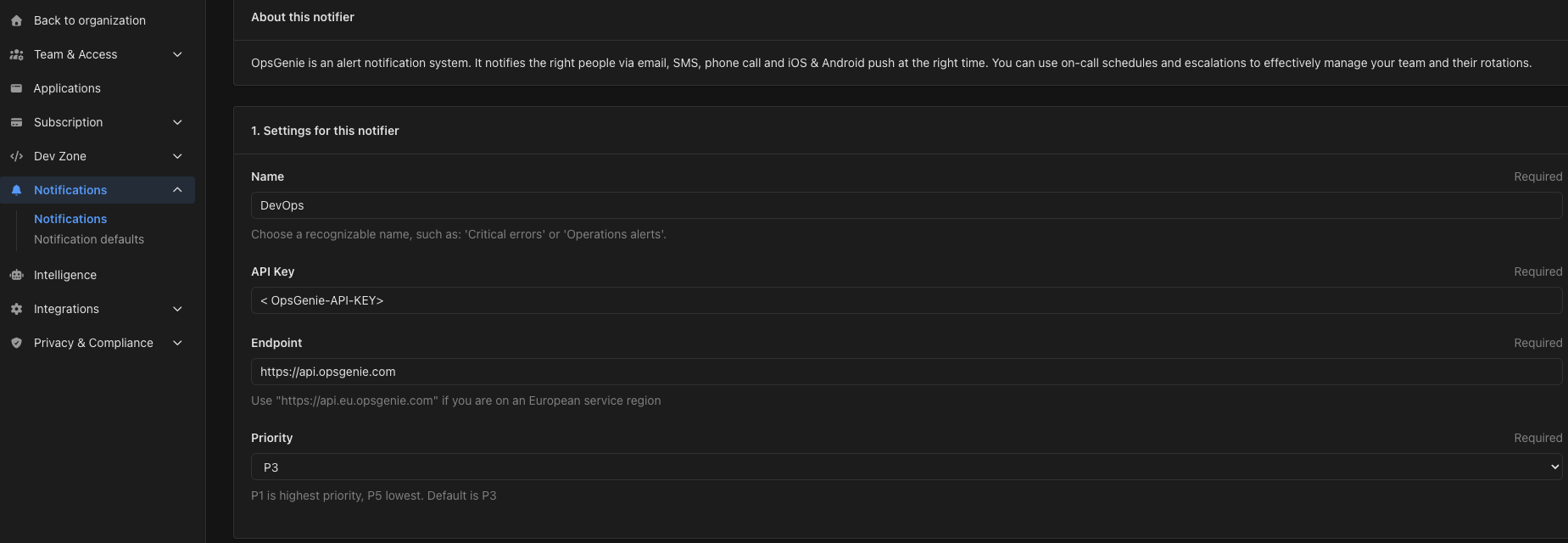
Go to the Notifications page in your AppSignal organization, select Add new notifier, and choose OpsGenie. Under Settings for this notifier, fill in:- Name — a recognizable name, such as “Critical errors” or “Operations alerts”.
- API Key — the API key you created in OpsGenie.
- Endpoint — the API URL for your OpsGenie region. The default is
https://api.opsgenie.com. Usehttps://api.eu.opsgenie.comif your OpsGenie account is in the EU region. - Priority — the priority AppSignal gives its alerts, from P1 (highest) to P5 (lowest). The default is P3.
- Scope notifier to the following apps — the apps and environments this notifier covers.
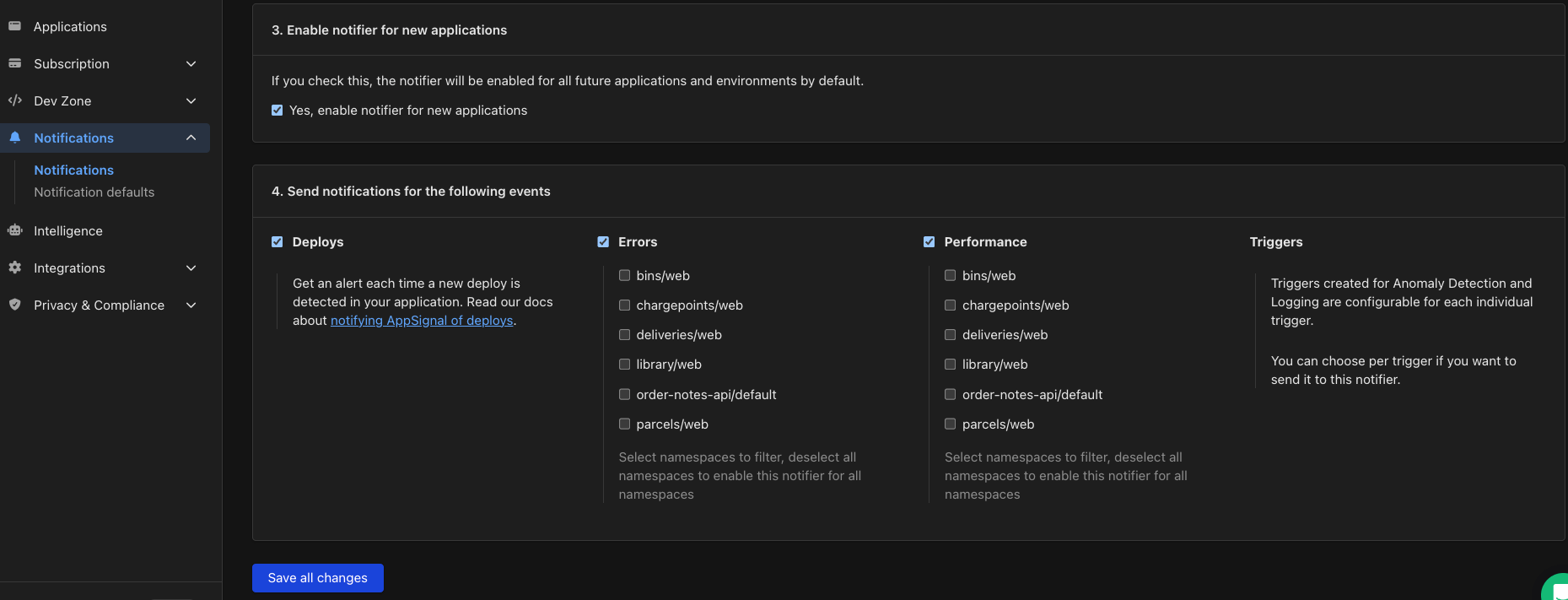
- Enable notifier for new applications — when enabled, every app and environment you add later uses this notifier by default.
- Send notifications for the following events — deploys, errors and performance traces. Errors and performance can be filtered by namespace: select the namespaces you want, or deselect all of them to cover every namespace.