Setup
AppSignal requires aIntegration Key from PagerDuty to send error and performance notifications.
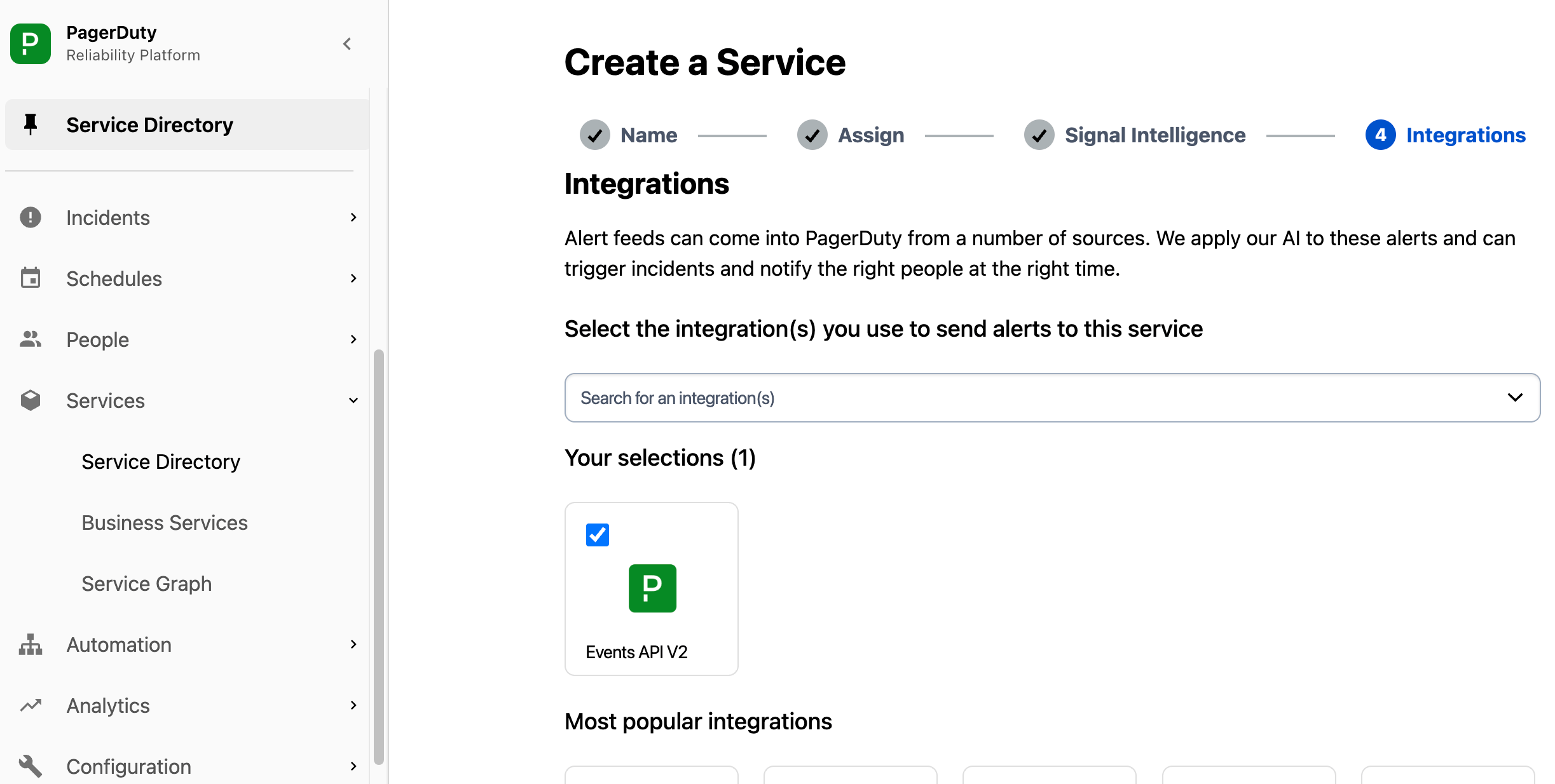
You can get the Integration Key by adding an “Integration” under Services > Service Directory > “New service”.
Make sure that for Integrations “Events API V2” is selected. The other details can be filled out at your own discretion.
Integration Key.
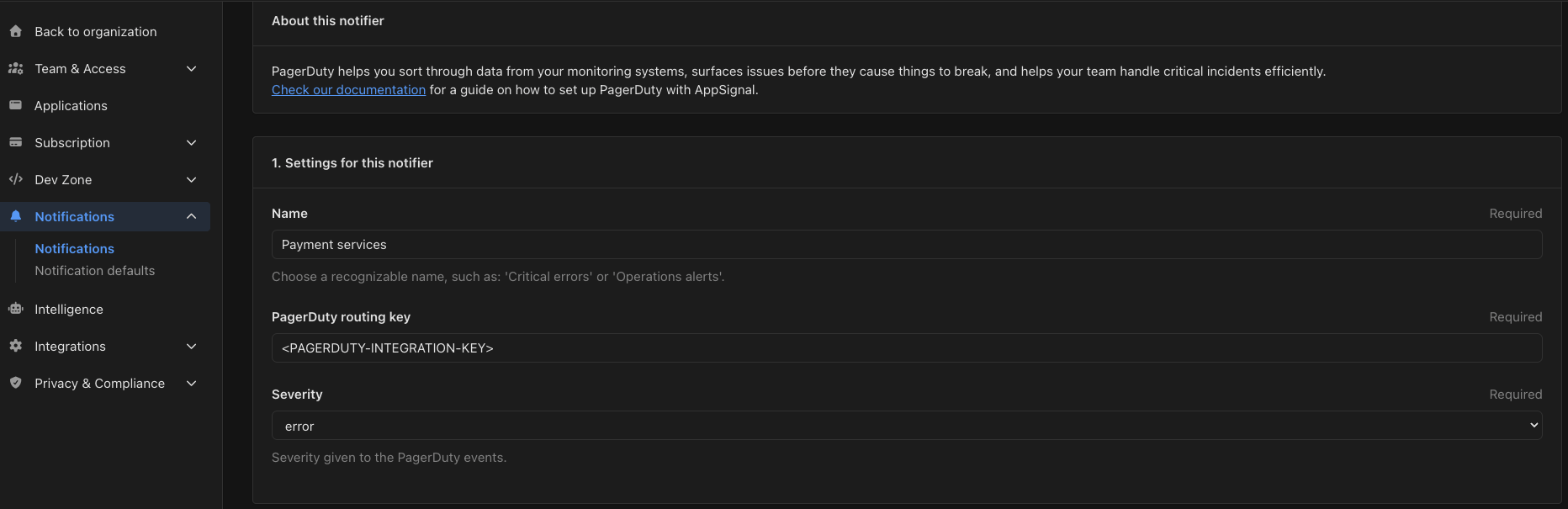
Go to the Notifications page in your AppSignal organization, select Add new notifier, and choose PagerDuty V2 API. Paste this key in the PagerDuty routing key field.
Under Severity, choose the severity AppSignal gives the PagerDuty events: critical, error, warning, or info. The default is error.
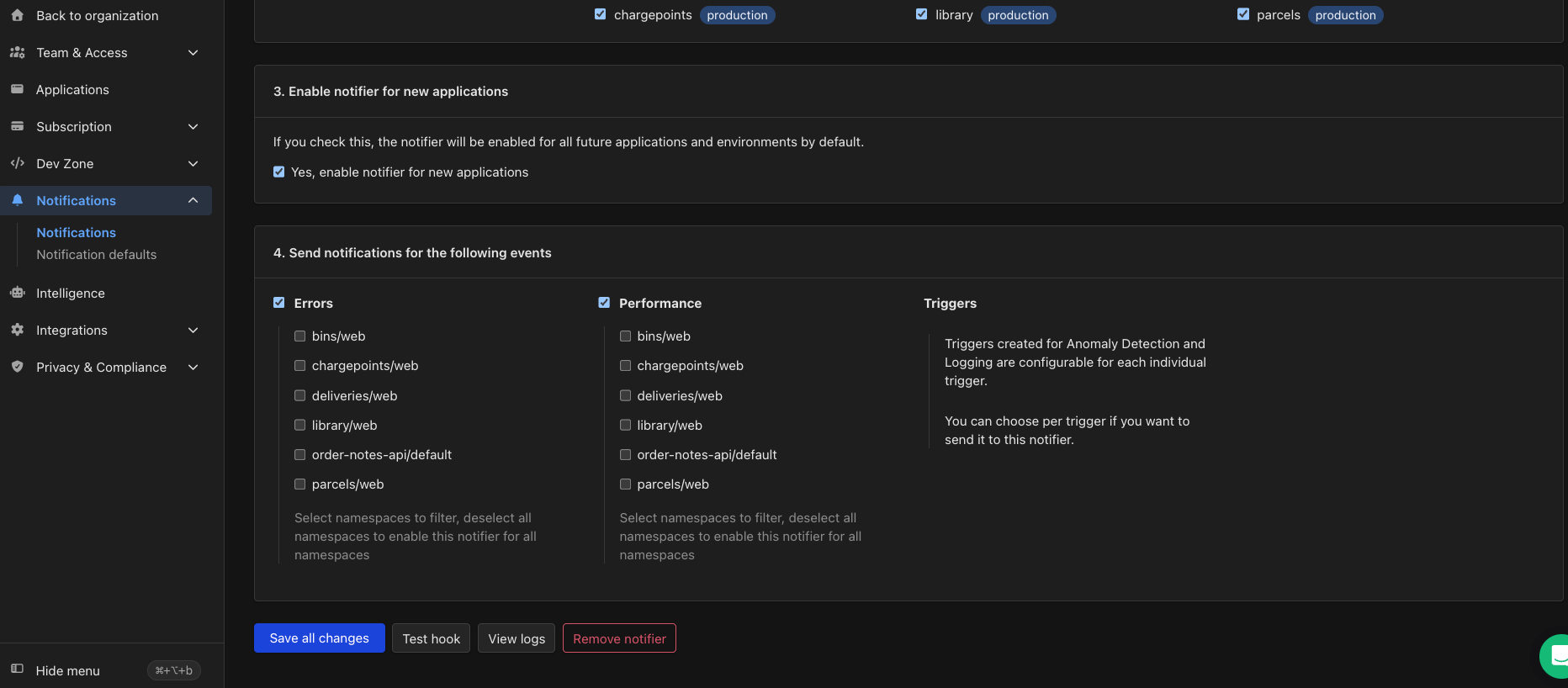
- Scope notifier to the following apps — the apps and environments this notifier covers.
- Enable notifier for new applications — when enabled, every app and environment you add later uses this notifier by default.
- Send notifications for the following events — errors and performance traces. PagerDuty notifiers have no deploys option. Errors and performance can be filtered by namespace: select the namespaces you want, or deselect all of them to cover every namespace.