
instrument_mongo config option to false.
Performance monitoring
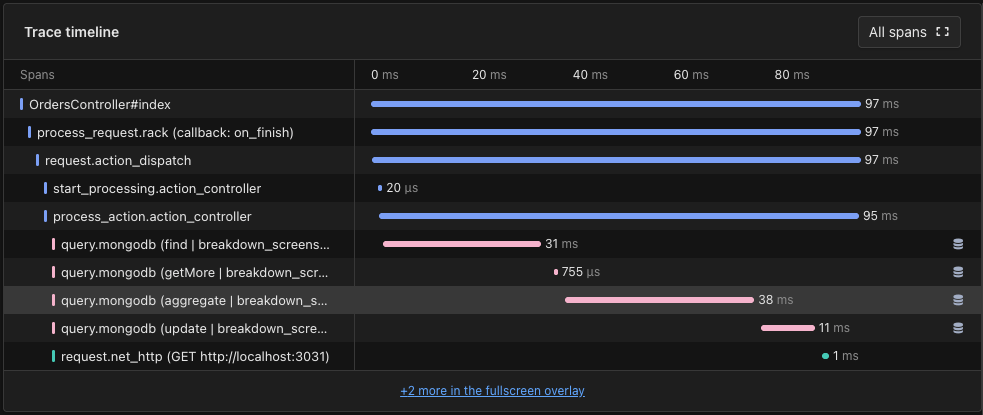
Once AppSignal begins reporting MongoDB metrics, AppSignal will give you performance insights via:Trace timeline
Queries run through the driver are recorded asquery.mongodb spans, titled after the command that ran. The trace timeline on the trace page gives you deep insights into MongoDB query performance, allowing you to see exactly what queries are run, when, and what impact they’re having on your application’s responsiveness.
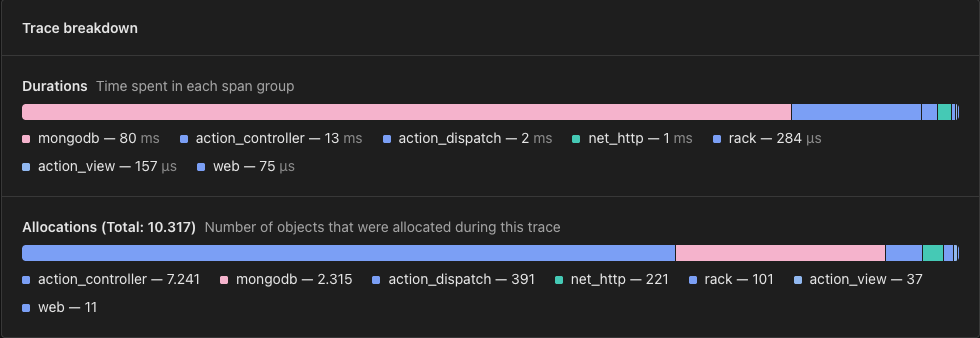
Trace breakdown
The trace breakdown on a trace page shows how a request’s time and allocations were split across span groups, such asaction_controller and mongodb, so you can spot slow MongoDB queries at a glance.
Slow queries
AppSignal has a whole suite of tools aimed at helping you improve your application’s performance. Slow queries is a simple and informative overview of your application’s slow queries and the impact they’re having on your application’s performance, allowing you to quickly and confidently decide on the steps needed to optimize them.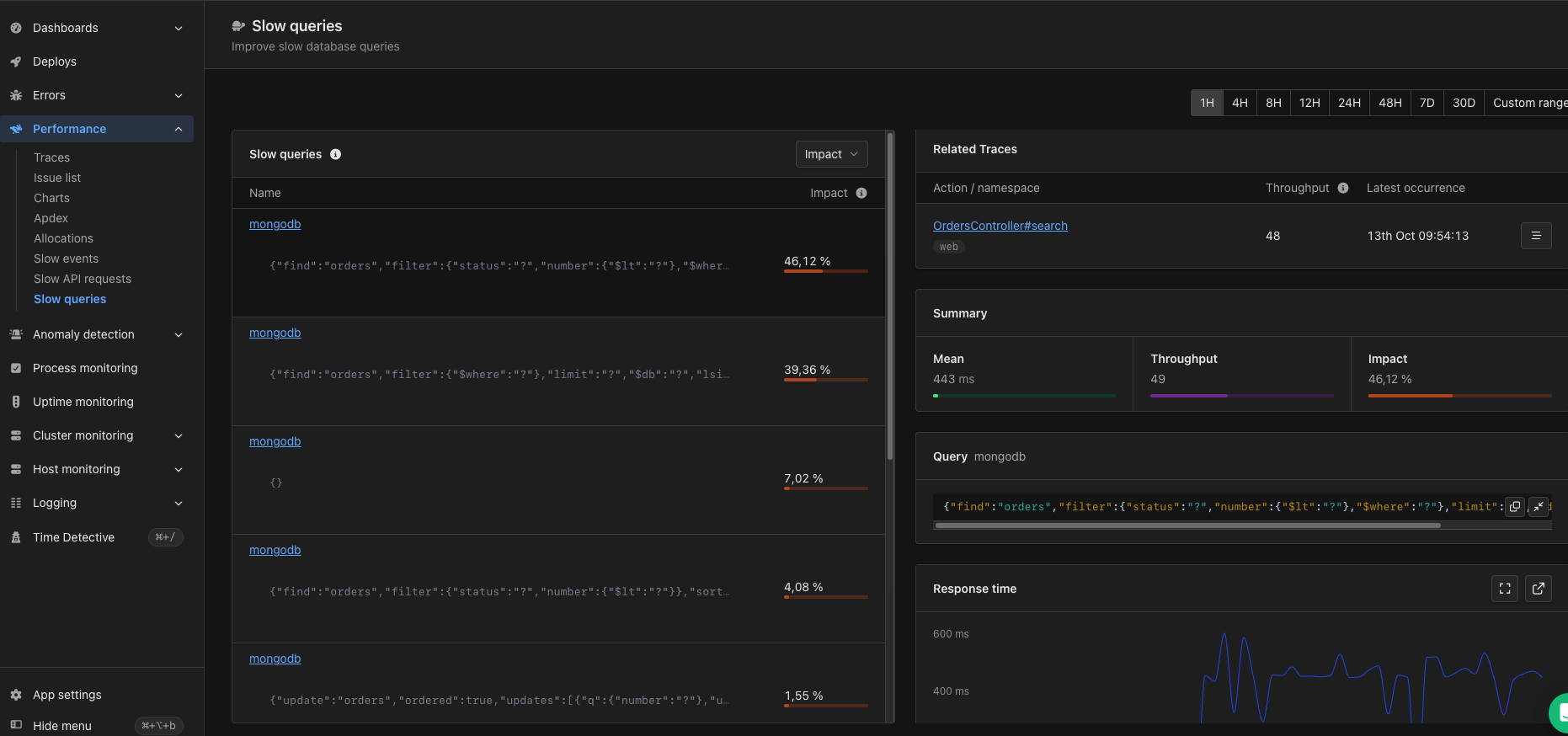
Intelligence dashboard
When AppSignal receives MongoDB metrics, it will create a MongoDB Intelligence dashboard, available from the dashboard section of the AppSignal app. The MongoDB Intelligence dashboard will have the following graphs:
Tags give you a contextual breakdown of MongoDB performance information. AppSignal reports the following tag for MongoDB metrics:
Each tag will be represented with a colored line on the graph:
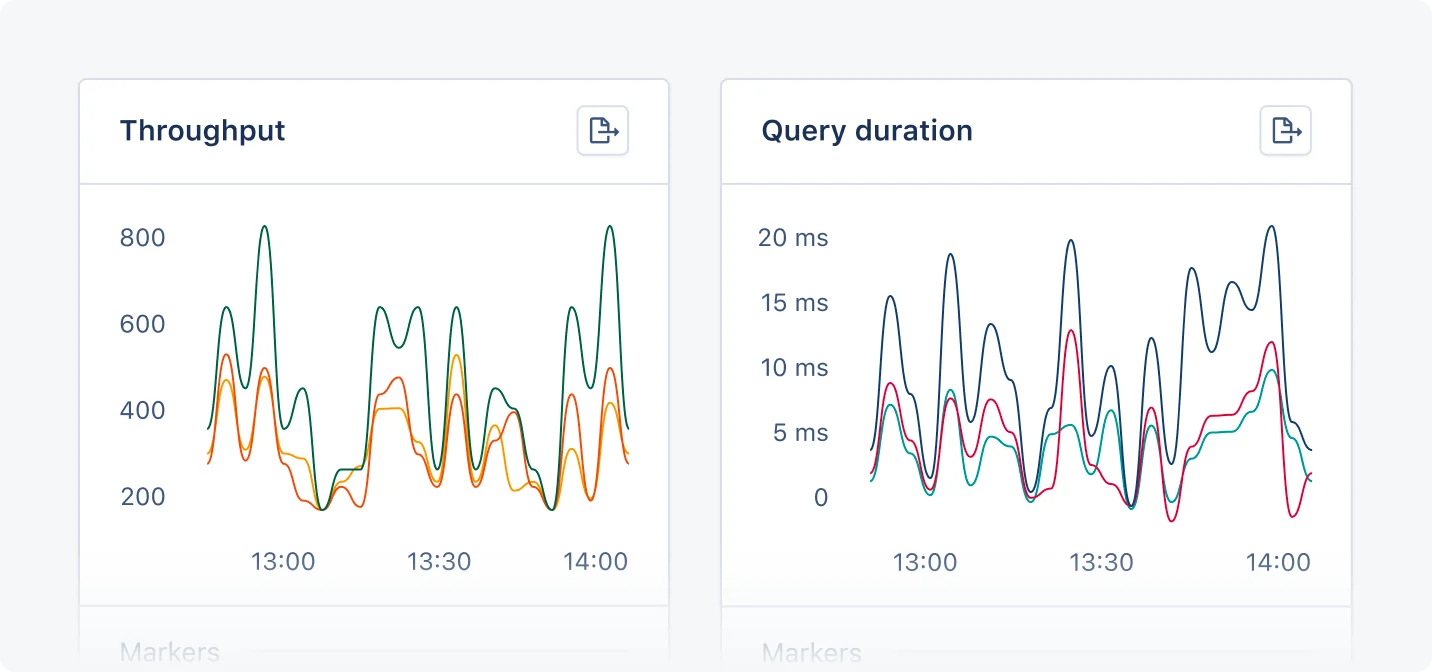
Throughput graph
The Throughput graph shows the amount of queries executed on each MongoDB database. You can use this graph to understand how many queries your app’s databases are handling, spot inefficient queries, and potential n+1 and scaling problems.Query duration graph
The Query duration graph shows the 95th percentile and average duration of the queries executed on each MongoDB database. You can use this graph to understand the performance of database queries, pinpoint performance issues, and fine-tune slow queries.Span attributes
Collector mode only: this applies when AppSignal for Ruby runs in collector mode. It has no effect otherwise.
db.operation.name— the command that ran, such asfind.db.collection.name— the collection the command ran against.db.namespace— the database the command ran against.server.addressandserver.port— the server the command was sent to.db.response.status_code— the result the server returned.