
Supported adapters
The Active Job integration supports all Active Job adapters. It may also offer support for adapters not listed on that page, which are accessible through a separate gem. However, these adapters have not been tested. Adapters without a dedicated AppSignal integration are monitored through Active Job instrumentation, such as GoodJob.Integration with AppSignal-supported libraries
The following background job libraries that AppSignal supports are automatically integrated with Active Job, allowing AppSignal to give you more in-depth performance insights:Report errors on job discard
Set theactivejob_report_errors config option to discard to only report errors when a job is discarded. When a job is discarded, all job retries have been exhausted, and the job is no longer retried. Read the Active Job documentation to learn more about Active Job exception handling and failed job retries.
Enqueue instrumentation
Enqueuing a job through Active Job records anenqueue.active_job event, titled after the job being enqueued. When a job is enqueued through an adapter that AppSignal also instruments, such as Sidekiq or Resque, AppSignal suppresses the adapter’s own enqueue event and records the enqueue once as the Active Job event.
AppSignal records enqueue events on the active transaction’s event timeline, for example when you enqueue a job from within a web request or from within another job. It only records them when a transaction is active, so enqueuing a job outside of a transaction records nothing.
To stop recording enqueue events across all background job integrations, set the enable_job_enqueue_instrumentation config option to false. This does not affect the instrumentation of the jobs themselves.
Metadata
AppSignal collects the following metadata for Active Job jobs:
*From Rails version 6 onwards queue times are reported for the namespace they are reported from and can be viewed in AppSignal’s Performance Graphs.
AppSignal uses Active Job metadata to give you deeper contextual insights into job performance. When inspecting Active Job traces in AppSignal:
- The job name groups the job’s traces on the Performance page:
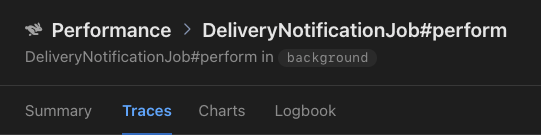
- Metadata (excluding job name and events) is available as filterable tags on the trace page:
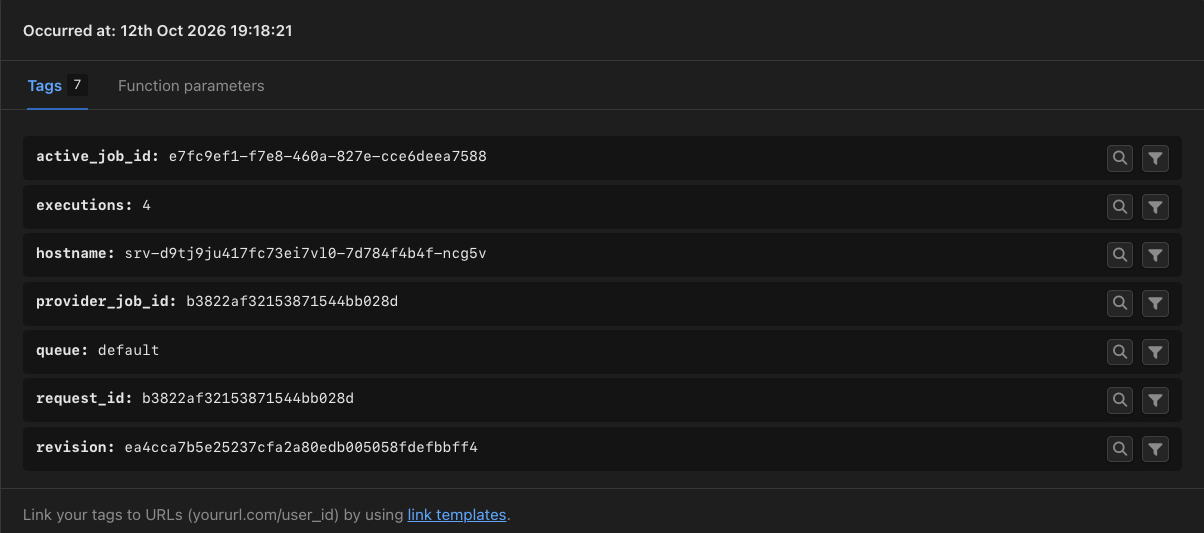
- The job’s spans appear in the trace timeline on the trace page:
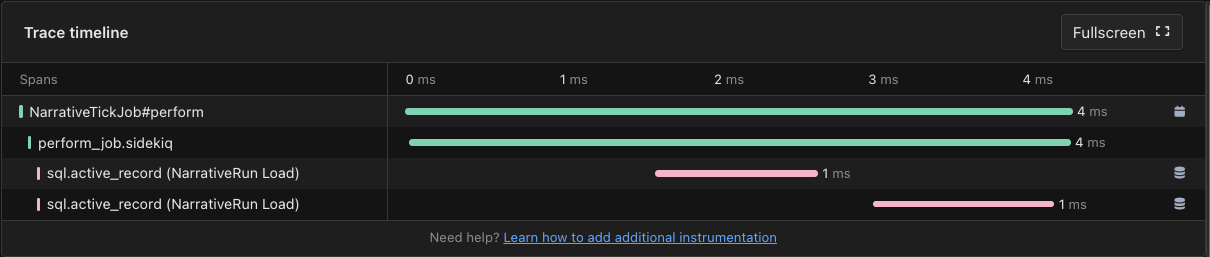
Intelligence dashboard
When AppSignal receives Active Job metrics, it will create an Active Job Intelligence dashboard, available from the dashboard section of the AppSignal app. When a newer version of the dashboard is available, a banner at the top offers to update it.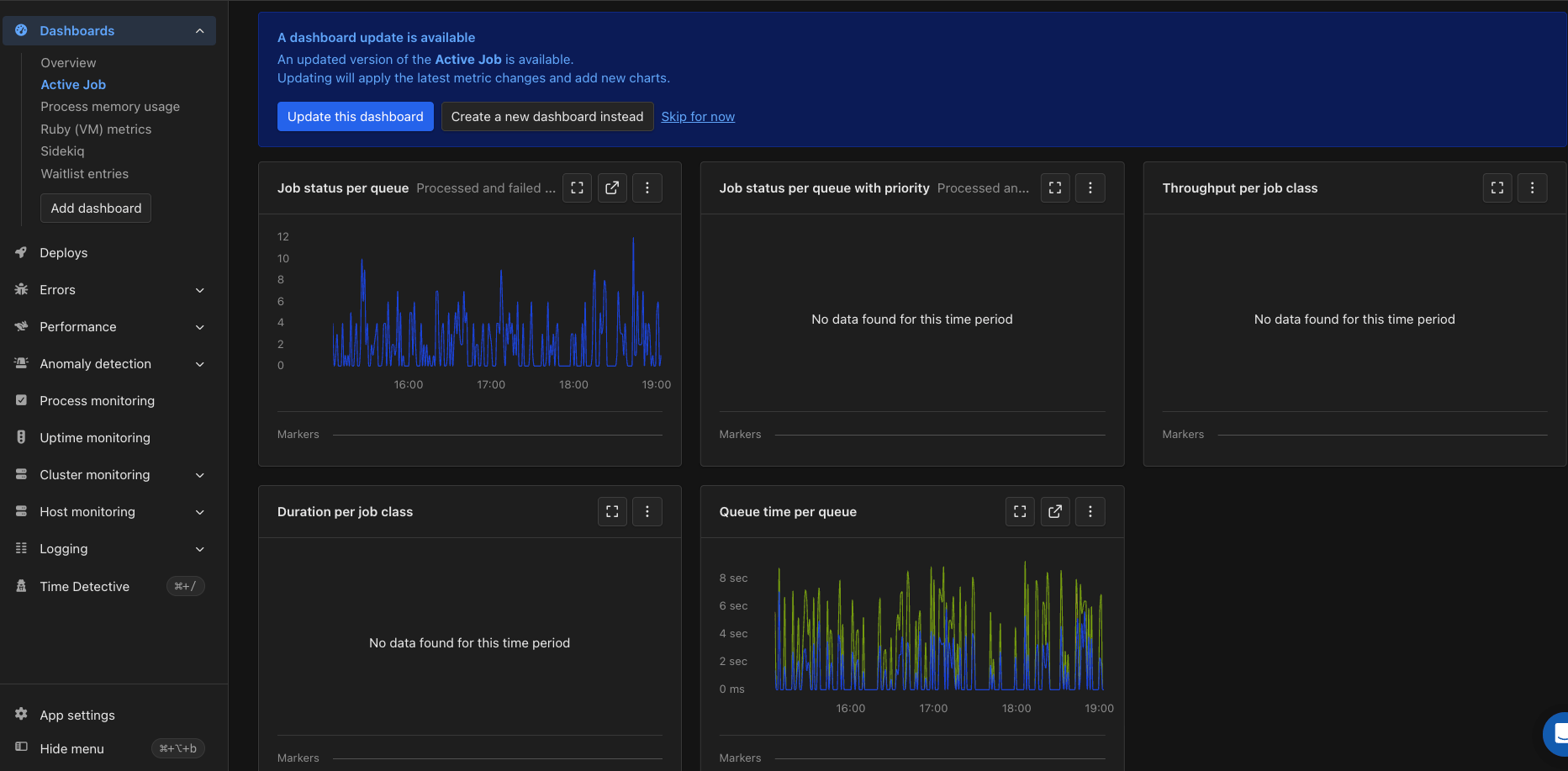
The Active Job Intelligence dashboard in AppSignal
The Duration and Throughput charts use
trace_duration on accounts that have been moved to trace metrics. Accounts that have not been moved yet see these charts powered by transaction_duration instead.
Each tag is represented with a colored line on the graph.
Duration per job class graph
The Duration per job class graph shows the amount of time that it took for jobs to execute, grouped by the class that defines the job. You can use this graph to monitor the performance of jobs, per class, giving you a helicopter view of job performance and allowing you to quickly identify and investigate spikes in duration time.Job status per queue graph
The Job status per queue graph shows the number of jobs that were executed, grouped by their resulting status and by the queue in which they were enqueued. You can use this graph to monitor job error counts and performance based on queue, identify bottlenecks, and optimize your background jobs for scalability.Job status per queue with priority graph
The Job status per queue with a priority graph shows the number of jobs that were executed, grouped by their resulting status by the queue in which they were enqueued, and by the priority that was given to them. You can use this graph to monitor job error counts and performance based on queue and priority, identify bottlenecks, and optimize your background jobs for scalability.Queue time per queue graph
The Queue time per queue graph shows how long jobs waited in each queue before they started, as a mean, 90th percentile, and 95th percentile. You can use this graph to spot queues that are falling behind and decide whether a queue needs more workers.Throughput per job class graph
The Throughput per job class graph shows the amount of jobs that were executed, grouped by the class that defines the job. You can use this graph to monitor how many jobs are executed, grouped by the class that defines the job.Span attributes
Collector mode only: this applies when AppSignal for Ruby runs in collector mode. It has no effect otherwise.
messaging.system— the queueing library.messaging.destination.name— the queue the job was put on.messaging.operation.type— whether the span is the enqueue or the job running.
error.type, the class of the error.
Distributed tracing
Collector mode only: this applies when AppSignal for Ruby runs in collector mode. It has no effect otherwise.
See also
- Solid Queue: run background jobs in your database: use the database you already run as an Active Job backend. Rails 8 configures it in new applications; this covers adding it to an existing one.
- Sidekiq batches: run jobs in parallel, then act: split one unit of work across many jobs, then run a callback once every job has succeeded.