
Create a GitHub issue from an incident
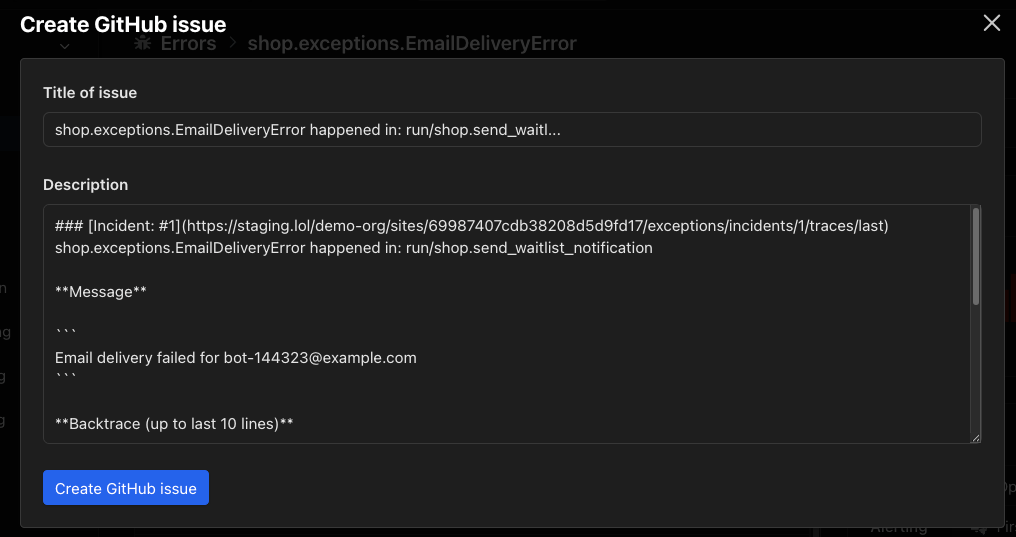
Open the relevant namespace for your AppSignal application, select Errors in the side navigation, and then Issue list. Open the error incident you want to send to GitHub. On the incident’s Summary tab, select Send to GitHub in the Actions panel.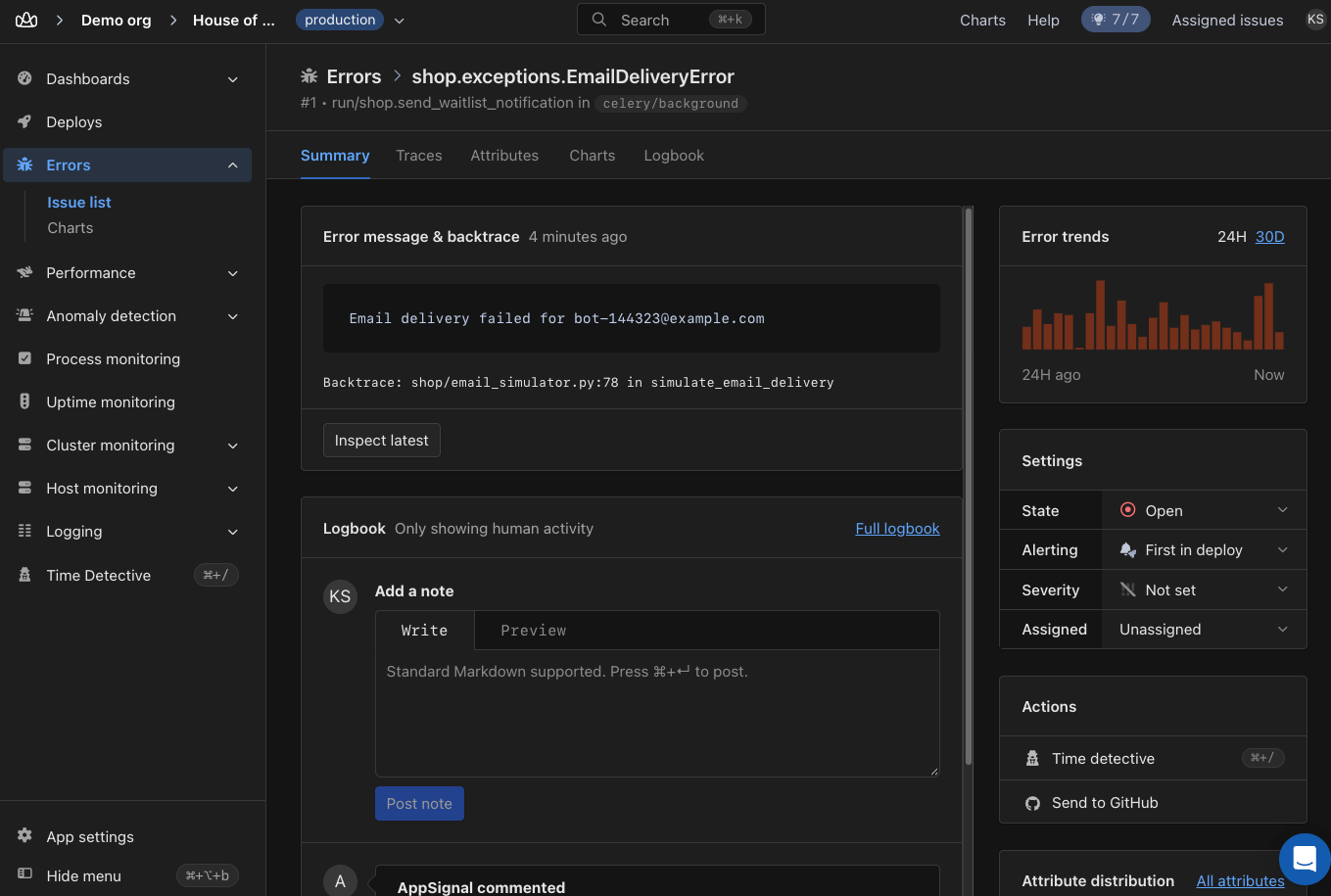
Link an existing issue or pull request
Often the fix is already underway: someone opened a pull request, or the bug has a GitHub issue. Drop its link in a note, and AppSignal tracks it for you. The incident shows where the fix stands, and nobody has to ask whether it shipped. Open the incident’s Summary tab, write a note in the Logbook box with the GitHub issue URL, and select Post note. AppSignal recognizes two forms of reference anywhere in the note:- A full URL, such as
https://github.com/acme/shop/issues/123orhttps://github.com/acme/shop/pull/456. - The shorthand
acme/shop#123.
acme/shop also links references to acme/shop-api, but ignores references to other organizations. An issue that is already linked is not linked again, so editing the note does not create duplicates.
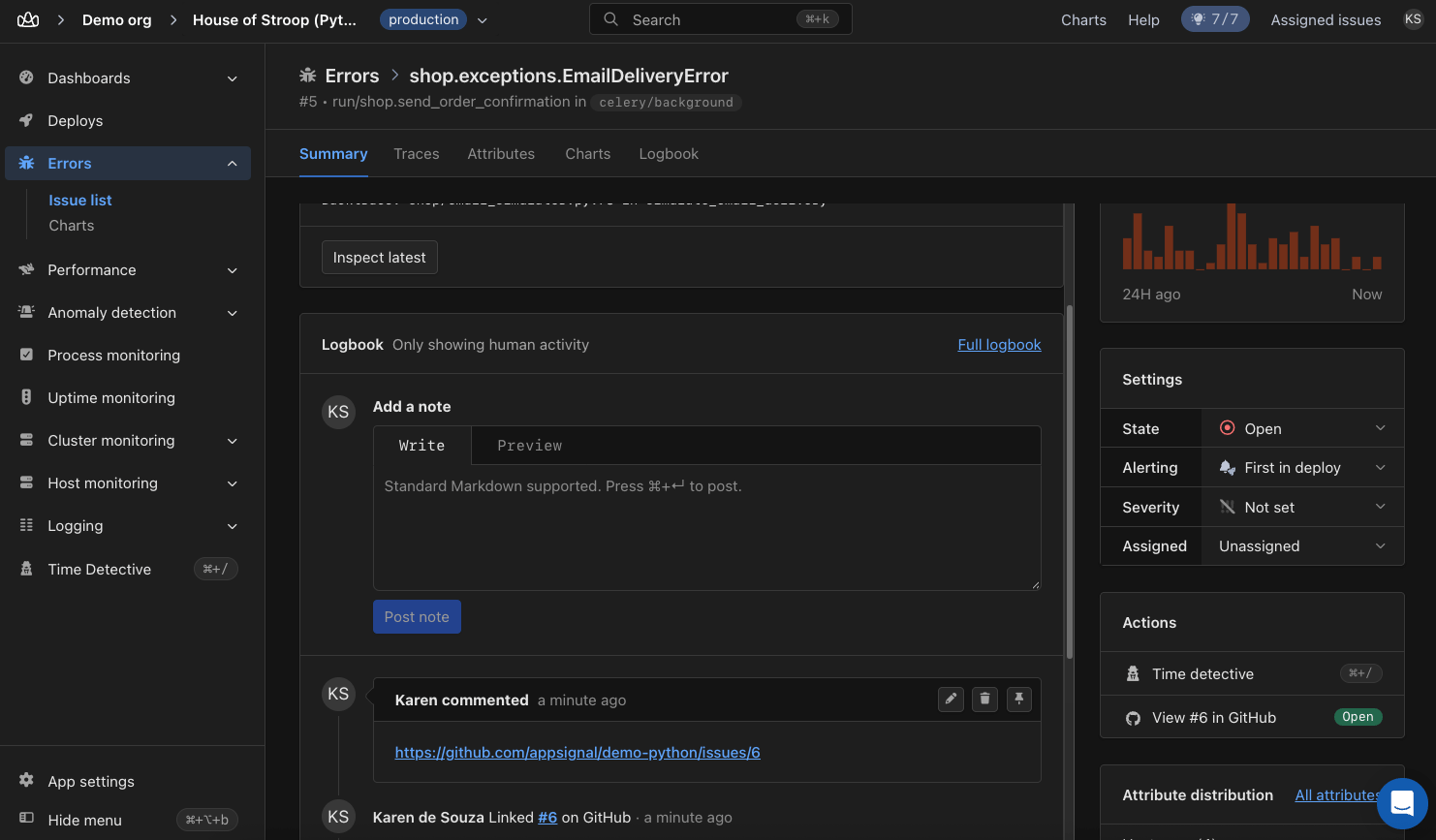
The logbook records Linked #123 on GitHub, with the number linking to the issue. The issue also appears in the Actions panel with its status.
Follow linked issues from the incident
The Actions panel shows a button for every linked issue and pull request, labeled View #123 on GitHub. The buttons appear in the order the issues were linked. Hover over a button to see when the issue was linked. Select it to open the issue on GitHub, or to re-create the issue. Re-creating removes the link and opens the create screen again. Each button shows the issue’s status as a badge: Open, Closed, or, for pull requests, Merged. AppSignal reads the status when you link an issue. It updates the status when the issue or pull request is closed, reopened, or merged on GitHub. Every status change also shows in the incident’s logbook, for example Changed the status of acme/shop#123 on GitHub from open → merged. The entry shows who made the change on GitHub. If that person is a member of your AppSignal app and has linked their GitHub account, the entry shows their AppSignal name. Status updates need the Issues and Pull requests permissions of the AppSignal GitHub app. When AppSignal asks for them, an owner of your GitHub organization has to approve the new permissions on GitHub. Without them, linking still works, but linked issues show no status badge. The incident is now the one place to check on a fix: which issues and pull requests belong to it, and whether each is open, merged, or closed. To jump from a backtrace line to the code that shipped, set up backtrace links next.🛟 If you are having trouble making GitHub issues for AppSignal incidents,
please get in touch, and we’ll help you
further.