
Formatting
AppSignal will parse logs received from your source based on key-value pairs, storing each key and value as attributes on the log line, allowing you to filter log lines on these attributes. Formatting attributes with:Logfmt
In Logfmt, attributes can be added to log lines:Text
"I am a message", and the following attributes:
JSON and NDJSON
In JSON, attributes can be added in a hash under the keyattributes:
Text
"This is a test message", and the following attributes:
Querying Attributes in AppSignal
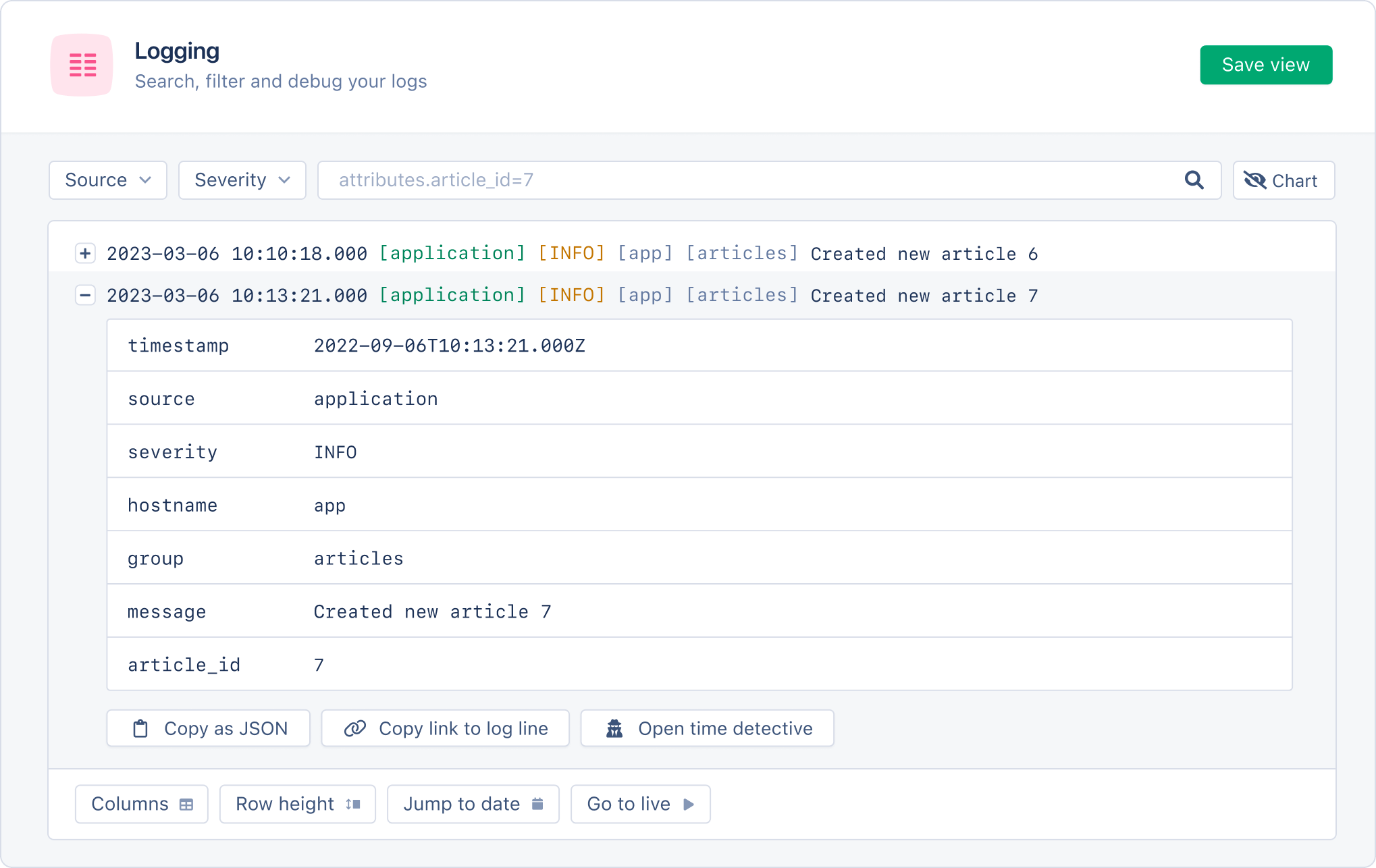
In AppSignal, you can search for logs that match specific attribute conditions. For example, the following query would return all logs with anarticle_id attribute that contains the value 7:
Text
Formatting Rules
Attribute values can be any of the following types:- string
- integer (e.g.
10) - double (e.g.
10.01) - boolean (
true/false)
- Keys must be alphanumeric.
- Keys cannot contain spaces but may contain full stops (.), underscores (_), and hyphens (-).
- Keys may not contain more than 50 characters
- Values must not be longer than 255 characters
- No more than 25 attributes per log message.
- If a key does not have a value, it will be appended to the message field.
- If a key-value pair has a key with the name of msg or message, the value of this key will be parsed as the log message.
- If no message/msg key is available, the entire log line will be considered the message.