
Minutely probe
Since AppSignal Elixir package1.10.1 and up a minutely probe is activated by default. Once we detect these metrics we’ll add an Intelligence dashboard to your apps.
This probe will report the following metrics grouped by hostname tag:
erlang_io- gauge- Tag
type:inputoutput
- Tag
erlang_schedulers- gauge- Tag
type:totalonline
- Tag
erlang_processes- gauge- Tag
type:limitcount
- Tag
erlang_memory- gauge- Tag
type:totalprocessesprocesses_usedsystematomatom_usedbinarycodeets
- Tag
erlang_atoms- gauge- Tag
type:limitcount
- Tag
erlang_scheduler_utilization- gauge (since version2.2.8)- Tag
type:normal
- Tag
id: the ID of the scheduler
- Tag
total_run_queue_lengths- gauge (since version1.11.0)- Tag
type:totalcpuio
- Tag
Intelligence dashboard
When AppSignal receives these metrics, it creates the Erlang Intelligence dashboard with the following graphs. Each is grouped byhostname and type, except Scheduler utilization, which shows one line per scheduler id for normal schedulers:
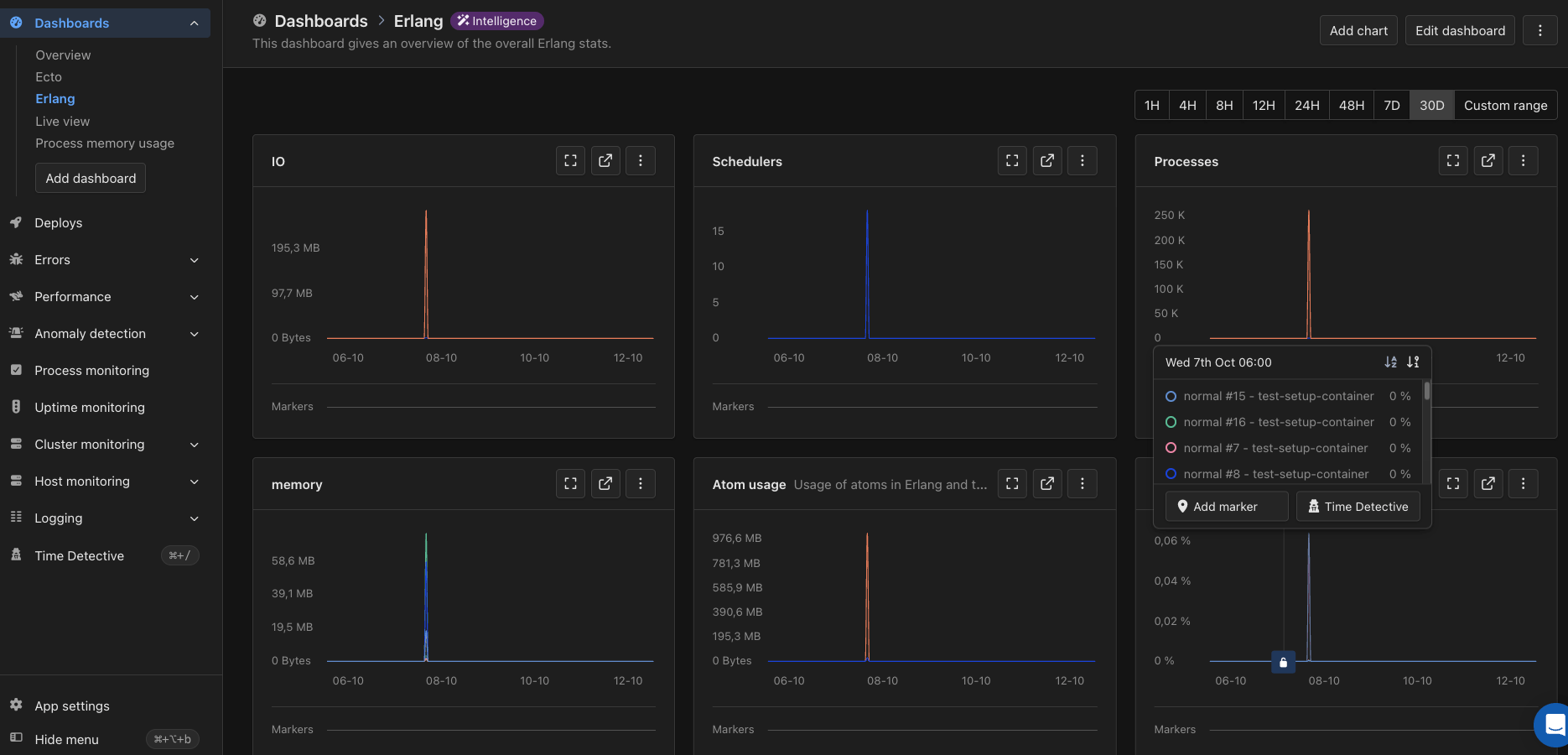
The Erlang Intelligence dashboard in AppSignal
Configuration
This probe listens to thehostname config option for the hostname tag added to all its metrics. If none is set it will try to detect it automatically. Use the hostname config option to set the hostname if you want to change the detected hostname.