
How Apdex rates requests
Apdex rates each request as satisfied, tolerating, or frustrated, based on the thresholds you set:
The score is the weighted average of these counts. You set the satisfied and tolerating thresholds. Frustrated covers everything slower.
Configure Apdex for a namespace
- Open the Apdex page under Performance for your app.
- Select a namespace without a configuration in the namespace filter.
- Select Configure Apdex.
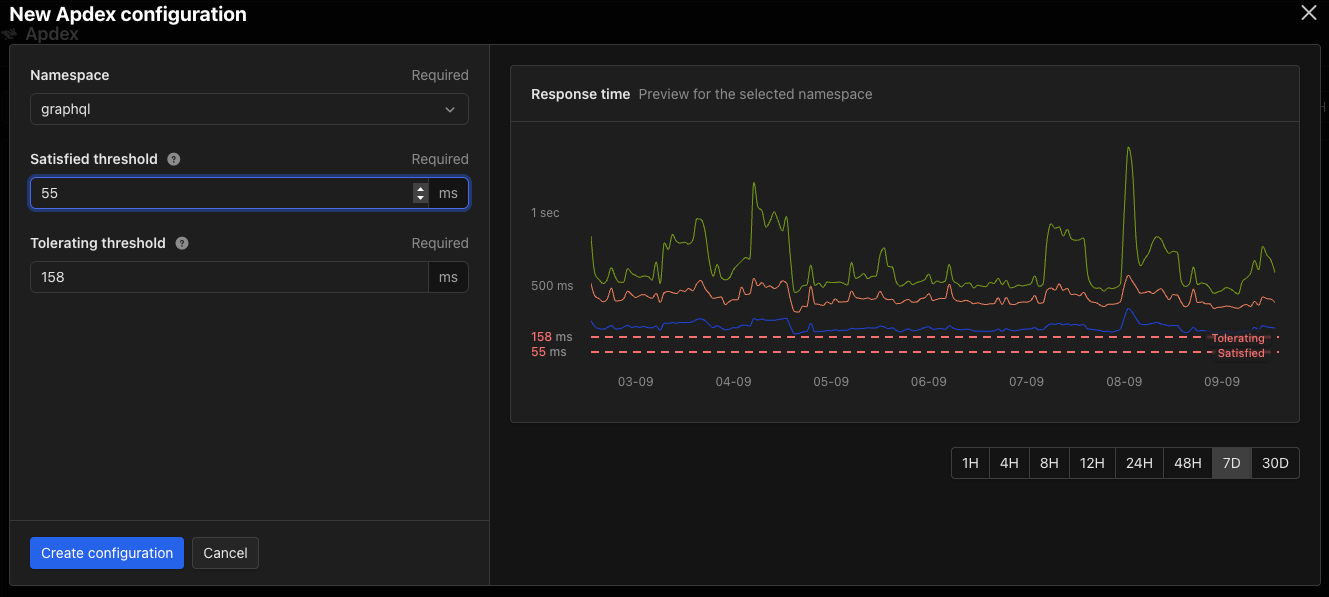
- Choose the Namespace you want to score. The list holds every namespace that does not have a configuration yet.
- Enter the Satisfied threshold and Tolerating threshold in milliseconds.
- Select Create configuration.
The Apdex page
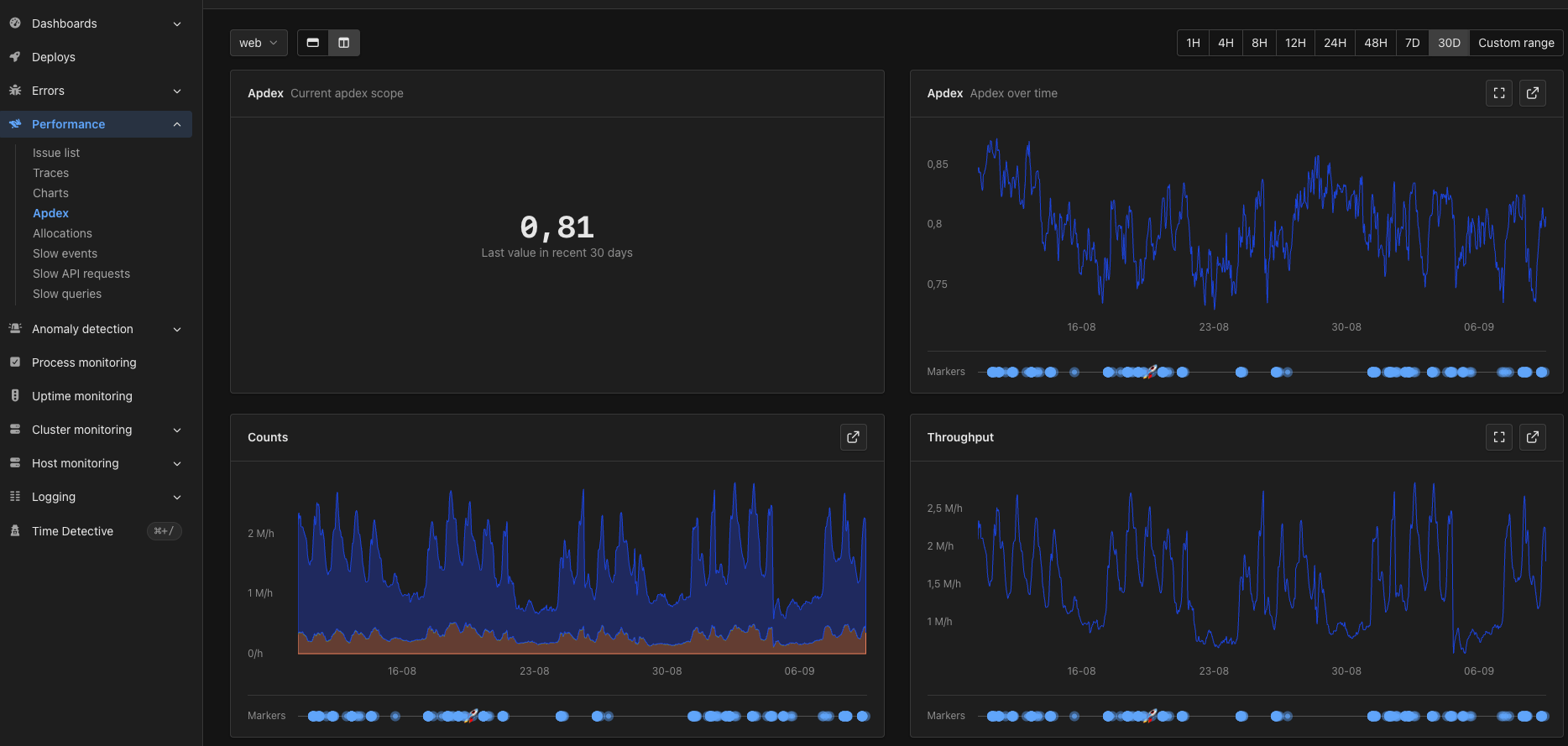
- The latest Apdex score for the selected time range.
- The Apdex score over time.
- Counts — how many requests were satisfied, tolerating, and frustrated.
- Throughput — request throughput for the namespace.
- Response time — mean, 90th percentile, and 95th percentile response times for the namespace.
Apdex metrics
Once a namespace has a configuration, AppSignal reports two metrics for it:apdex— the score for the namespace, between 0 and 1.apdex_counts— how many requests were satisfied, tolerating, and frustrated. These are the numbers the score is calculated from.
apdex_counts gives you one series per rating, each named after the namespace it belongs to: web - satisfied, web - tolerating, and web - frustrated.
You can use both metrics like any other metric, on your own dashboards and in anomaly detection triggers.
Remove an Apdex configuration
Select the namespace in the filter, select Edit configuration, then Delete configuration and confirm. AppSignal stops scoring the namespace. Theapdex and apdex_counts metrics stop being reported for it, and the charts on the Apdex page fall back to the empty state.