Traces from Vercel applications
When deploying applications or functions on Vercel, you can send telemetry data to AppSignal in one of two ways:
- Using Vercel's traces drain. In addition to forwarding data collected by Vercel's OpenTelemetry instrumentation package, this will also provide visibility into Vercel's infrastructure, such as Vercel functions and edge network.
- Using Vercel's OpenTelemetry instrumentation package.
Make sure you have a hosted collector URL before proceeding with these instructions.
Using the traces drain
To forward traces from Vercel to AppSignal using the traces drain, you need to set up a traces drain in your Vercel project settings. It is also recommended to install Vercel's OpenTelemetry instrumentation package in your application to capture telemetry data from your application.
Using Vercel's traces drain requires a Vercel plan on which drains are available. See Vercel's drains documentation for more information on available plans and pricing.
Set up a traces drain
From the Vercel dashboard, navigate to your project and go to the Settings > Drains section. Click on Add Drain and select Traces as the drain type.
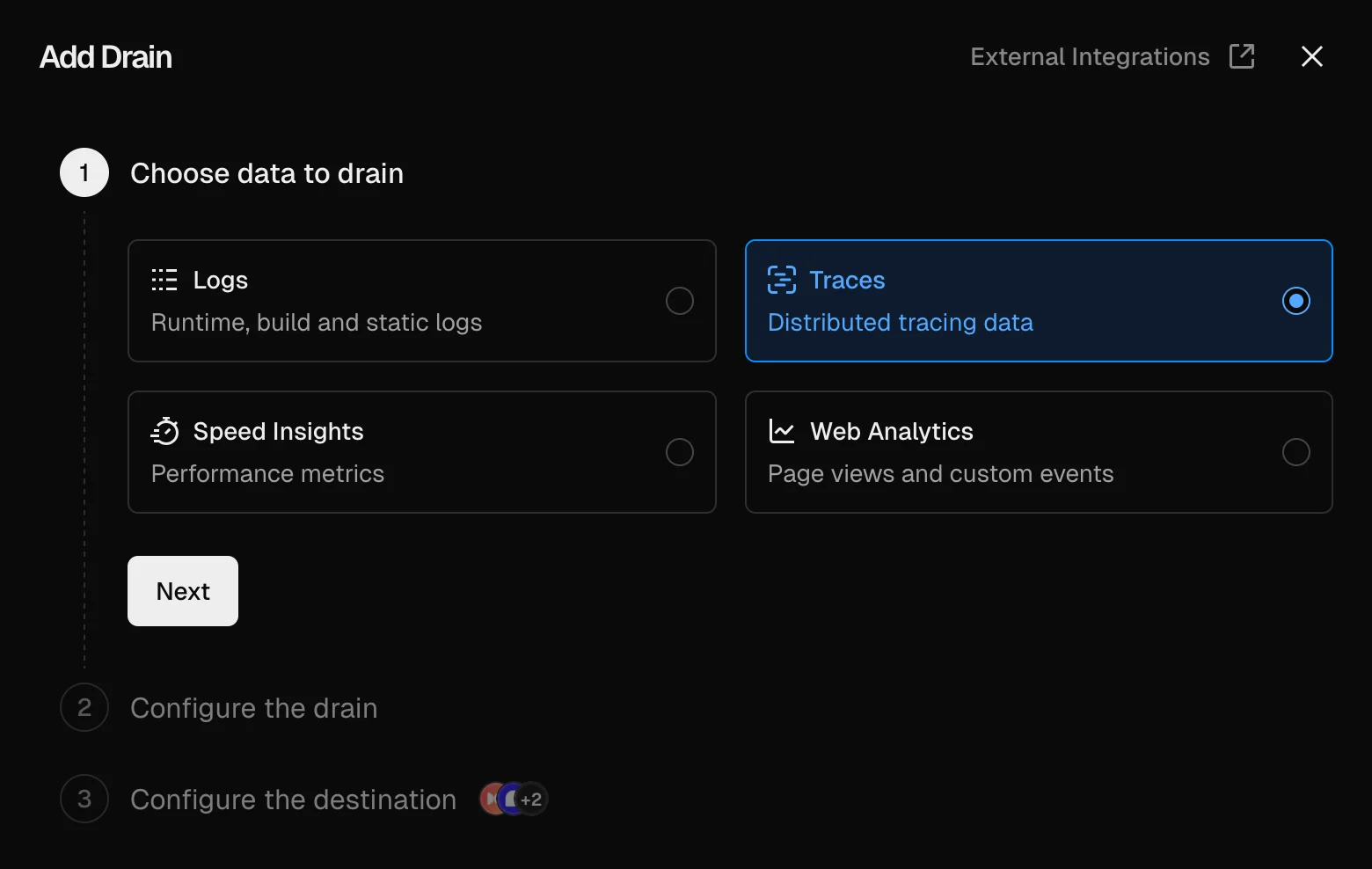
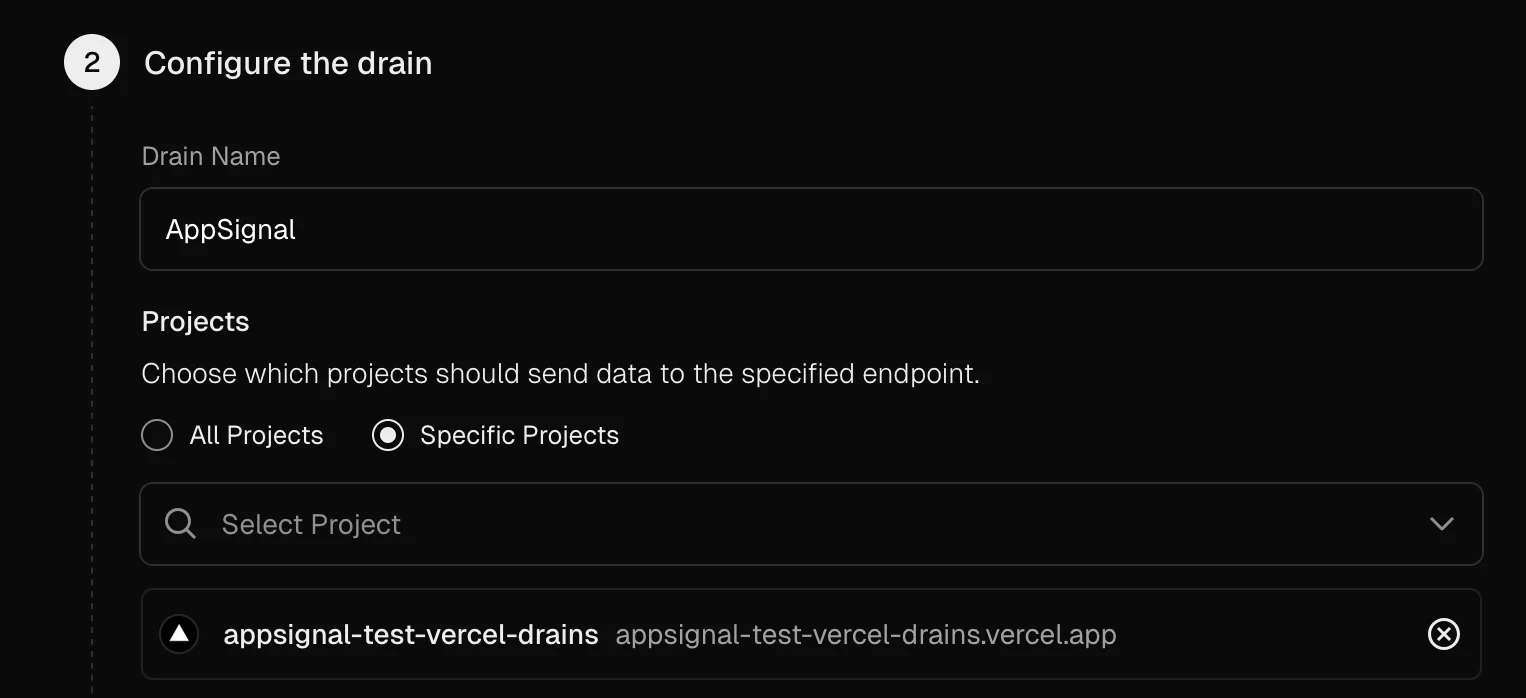
When asked which projects should send data using this drain, make sure to only select this project.

Under Configure the destination, select Custom endpoint and enter the URL of your AppSignal collector's OTLP endpoint, adding /v1/traces at the end:
https://your-appsignal-collector-host.com/v1/traces
In the Encoding dropdown, select Protobuf.
Enable Custom Headers and add the following headers to authenticate with AppSignal, replacing the placeholder values with your application's information as shown in AppSignal. Your Push API key can be found in the App settings.
AppSignal-Config-Name: <your-app-name> AppSignal-Config-Environment: <your-app-environment> AppSignal-Config-PushApiKey: <your-appsignal-push-api-key> AppSignal-Config-Revision: vercel AppSignal-Config-LanguageIntegration: nodejs OpenTelemetry-HostName: vercel
Pressing Test will send a test trace to AppSignal and save the drain on success.
Install and configure the instrumentation package
Use npm to add Vercel's OpenTelemetry instrumentation package and the OpenTelemetry API to your application's dependencies:
npm install @opentelemetry/api @vercel/otel
If you're using Next.js, add the instrumentation.ts file to your application. It must be placed in the root directory of the project (or inside the src folder if using one).
If you're using other frameworks or Vercel functions, make sure that this code is loaded early in the execution process to properly capture OpenTelemetry data.
import { registerOTel } from "@vercel/otel"; export function register() { registerOTel({ serviceName: "My service", }); }
Update the service name to a recognizable name for your application.
Using the instrumentation package
To send telemetry data to AppSignal using Vercel's OpenTelemetry instrumentation package, you need to install and configure the package in your application.
Install the OpenTelemetry packages
Use npm to add Vercel's OpenTelemetry instrumentation package, the OpenTelemetry SDK and the OTLP exporter to your application's dependencies:
npm install @opentelemetry/api \ @opentelemetry/sdk-metrics \ @opentelemetry/exporter-trace-otlp-proto \ @opentelemetry/exporter-metrics-otlp-proto \ @vercel/otel
Configure OpenTelemetry in your application
If you're using Next.js, add the instrumentation.ts file to your application. It must be placed in the root directory of the project (or inside src folder if using one).
If you're using other frameworks or Vercel functions, make sure that this code is loaded early in the execution process to properly capture OpenTelemetry data.
import { registerOTel } from "@vercel/otel"; import { OTLPTraceExporter } from "@opentelemetry/exporter-trace-otlp-proto"; import { OTLPMetricExporter } from "@opentelemetry/exporter-metrics-otlp-proto"; import { PeriodicExportingMetricReader } from "@opentelemetry/sdk-metrics"; const collectorHost = "https://your-appsignal-collector-host.com"; export function register() { registerOTel({ serviceName: "My service", traceExporter: new OTLPTraceExporter({ url: `${collectorHost}/v1/traces`, }), metricReader: new PeriodicExportingMetricReader({ exportIntervalMillis: 1000, exporter: new OTLPMetricExporter({ url: `${collectorHost}/v1/metrics`, }), }), attributes: { "appsignal.config.name": "My app", "appsignal.config.environment": "production", "appsignal.config.revision": "1", "appsignal.config.language_integration": "nodejs", "appsignal.config.push_api_key": "0000-0000-0000-0000", "host.name": "vercel", }, }); }
Test the integration
Once you have completed one of the integration options above, deploy your application to Vercel (or run a preview deployment) and test if you see data arrive in AppSignal. Check the "Errors > Issue list" and "Performance > Traces" page specifically.
If after following our installation instructions you still don't see data in AppSignal, let us know and we'll help you finalize your OpenTelemetry installation!