You’ll be able to begin monitoring your process monitors in AppSignal after: A process monitor consists of occurrences which can succeed or fail. For a cron process monitor, an occurrence is a time at which, according to its configured schedule, AppSignal expects to receive a start and finish event for this process monitor. A cron process monitor’s occurrence succeeds if it receives a finish event during its maximum duration. For a heartbeat process monitor, an occurrence is a time at which AppSignal has received a heartbeat event, and an occurrence succeeds if it receives another heartbeat event during its maximum duration.

Viewing process monitors

To view all of your app’s process monitors, click on the Process Monitoring overview via the AppSignal app navigation: Screenshot of Process Monitoring overview Here, you will have an overview of your process monitors with the following columns:
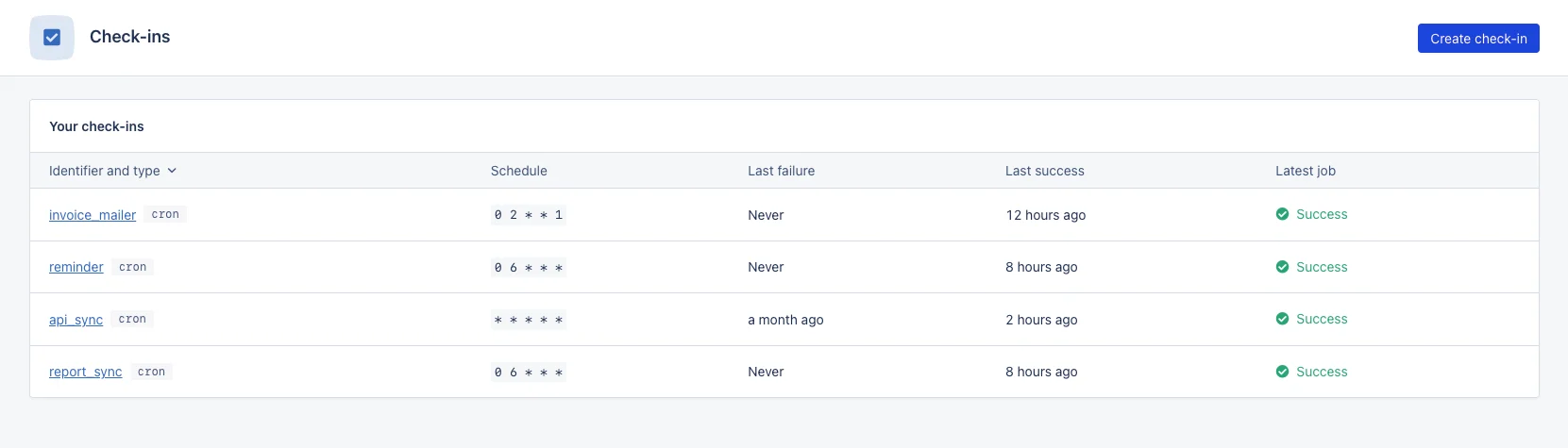
Column nameDescription
Identifier and typeThe identifier of your process monitor and its type.
ScheduleThe schedule of your process monitor: the crontab syntax for cron process monitors, or the maximum duration between heartbeats for heartbeat process monitors.
Last failureThe last time a process monitor occurrence failed.
Last successThe last time a process monitor occurrence succeeded.
Last occurrenceThe status of the last process monitor occurrence.

Statuses

The state of a process monitor will be that of its last occurrence. Process monitor occurrences will have one of the following statuses:
StatusDescription
NewNo events have yet been received for this process monitor.
SuccessThe process monitor occurrence has been completed within its maximum duration.
LateThe process monitor occurrence has been completed after its maximum duration.
MissedThe process monitor occurrence has not been completed.
RunningA start cron process monitor event has been received, or a previous heartbeat’s maximum duration has not yet passed.
Late or missed process monitor occurrences are considered to have failed, and AppSignal will notify you that the process monitor has failed according to your process monitor’s settings.

Process monitor summary

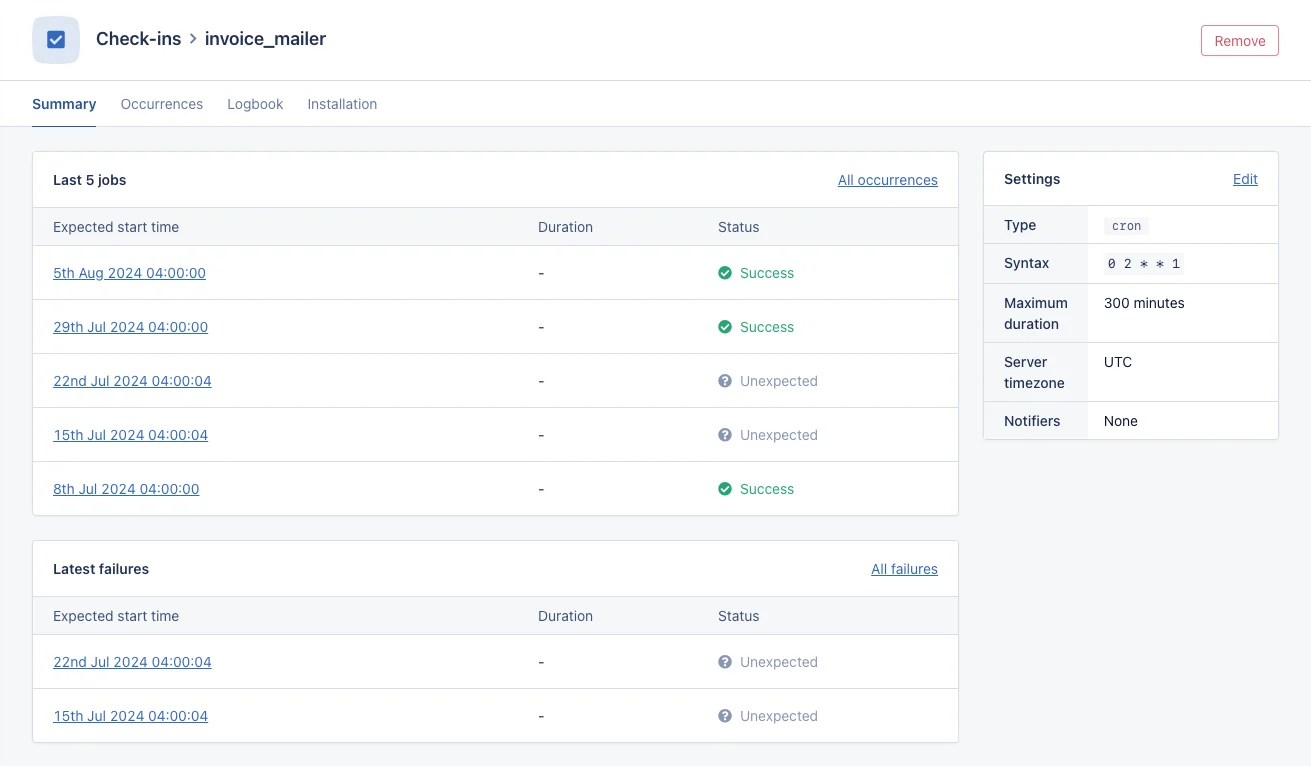
Clicking on the identifier of a process monitor will take you to an overview of:
  • The last five occurrences: The timestamps for the last five occurrences for the process monitor alongside their status.
  • The last five failed occurrences: The timestamps for the last five missed or late process monitor occurrences.
Screenshot of Process Monitoring summary