> ## Documentation Index
> Fetch the complete documentation index at: https://docs.appsignal.com/llms.txt
> Use this file to discover all available pages before exploring further.
# Uw gebruikersaccount
Wanneer u AppSignal gebruikt, logt u in met uw gebruikersaccount. Een gebruiker
kan toegang hebben tot een of meer organisaties die apps bevatten die worden
gemonitord.
## Aanmelden
Wanneer u wordt uitgenodigd voor een bestaand account of zich aanmeldt, kunt u kiezen
om u aan te melden met GitHub of een combinatie van e-mailadres en wachtwoord te gebruiken.
Als u ervoor kiest om u aan te melden met een combinatie van e-mailadres en wachtwoord, kunt u uw GitHub-account altijd later koppelen door naar uw [Profiel & Instellingen](https://appsignal.com/users/edit) te gaan en omlaag te scrollen naar de GitHub-sectie.
## Persoonlijke instellingen
Zodra u bent ingelogd, kunt u via de instellingenlink rechtsboven in het scherm naar uw instellingenpagina navigeren. Er zijn vier
schermen voor persoonlijke instellingen.
### Persoonlijk
In persoonlijke instellingen kunt u uw naam en wachtwoord wijzigen. Als u
uw GitHub-account niet hebt gekoppeld tijdens de aanmelding, kunt u dat hier alsnog doen.
Door uw GitHub-account te koppelen krijgt u extra functies zoals directe links
naar commits en gekoppelde stack trace-regels.
U kunt hier ook een thema kiezen voor de AppSignal-UI. Zet de **Theme**-
schakelaar op **Dark** voor een donker thema, **Light** om het standaard lichte thema te behouden,
of **System** om de voorkeur van uw besturingssysteem te volgen.
### Notificaties
U kunt meerdere e-mailadressen koppelen aan AppSignal.
Dit kan handig zijn als iemand u uitnodigt op uw persoonlijke e-mailadres
terwijl u liever uw zakelijke e-mailadres gebruikt.
Het is ook handig als u deel uitmaakt van meerdere organisaties binnen AppSignal.
U kunt ervoor kiezen om notificaties naar verschillende e-mailadressen per
organisatie te laten sturen.
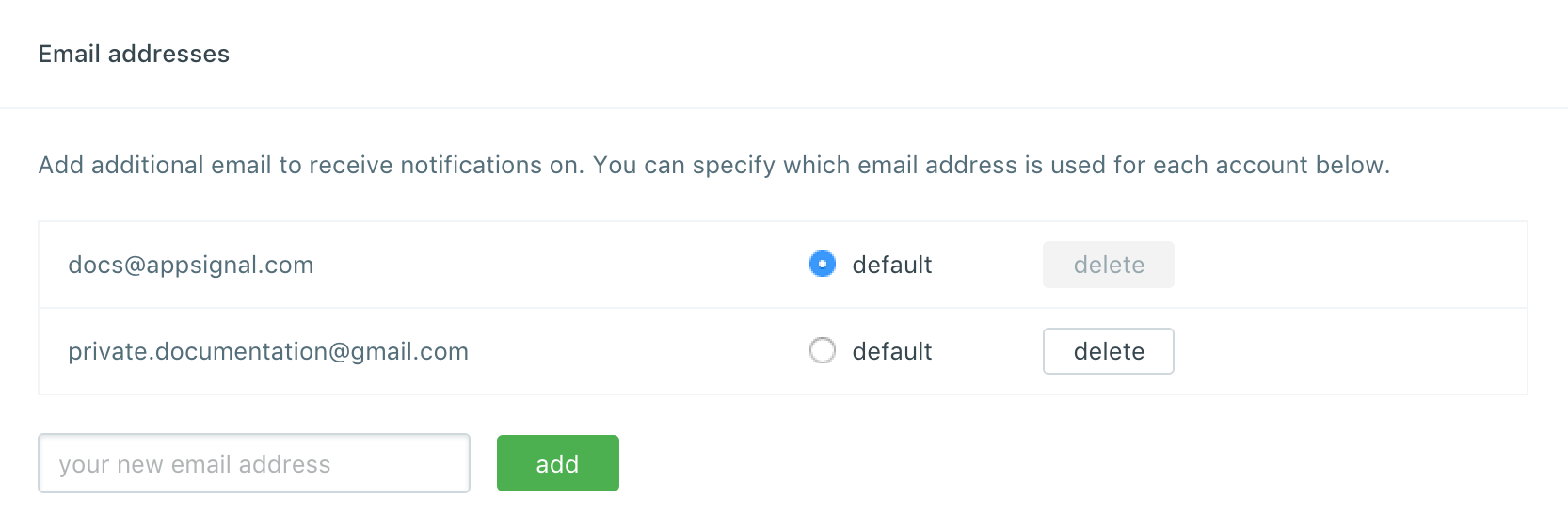 U kunt per organisatie configureren welk e-mailadres AppSignal moet gebruiken voor notificaties.
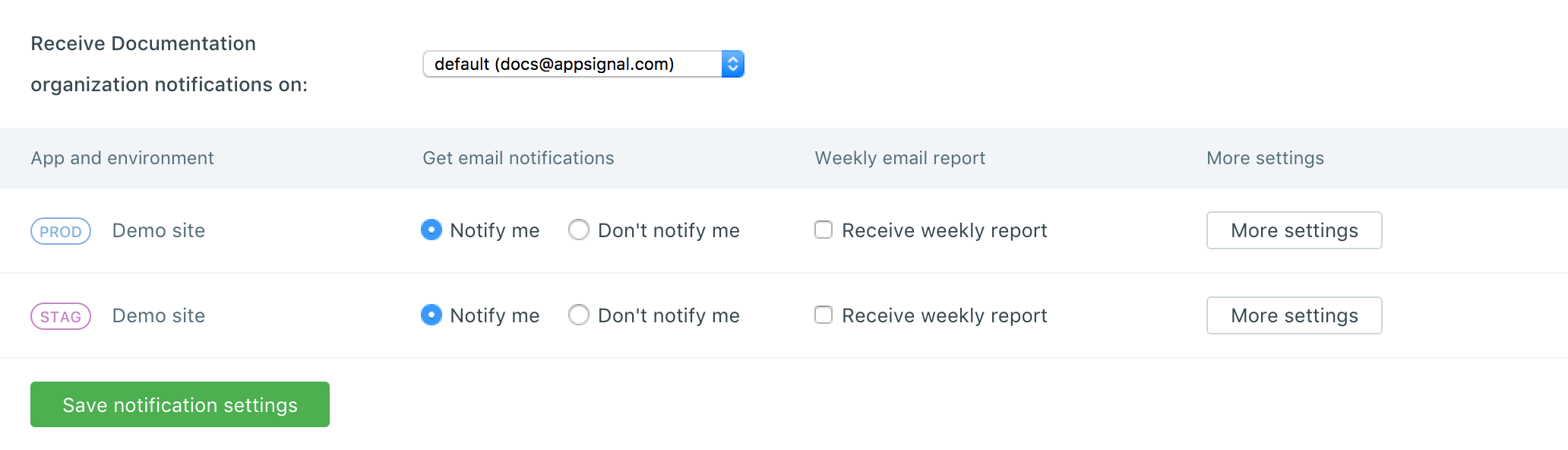
U kunt ook per app kiezen of u notificaties wilt ontvangen.
Als u notificaties uitschakelt, kunt u nog steeds toegang krijgen tot de app.
U kunt per organisatie configureren welk e-mailadres AppSignal moet gebruiken voor notificaties.
U kunt ook per app kiezen of u notificaties wilt ontvangen.
Als u notificaties uitschakelt, kunt u nog steeds toegang krijgen tot de app.