> ## Documentation Index
> Fetch the complete documentation index at: https://docs.appsignal.com/llms.txt
> Use this file to discover all available pages before exploring further.

# Ruby VM

export const VersionRequirements = ({versions = []}) => {
  if (!Array.isArray(versions) || versions.length === 0) {
    return null;
  }
  const boundaries = {
    upper: " or lower",
    exact: "",
    lower: " or higher"
  };
  const containerStyle = {
    marginTop: "0.5rem",
    marginBottom: "1.5rem"
  };
  const lineStyle = {
    display: "block",
    margin: "0 0 0.35rem 0",
    fontSize: "0.875rem",
    lineHeight: "1.4"
  };
  const pillBaseStyle = {
    display: "inline-block",
    padding: "0.1em 0.4em",
    borderRadius: "0.25rem",
    border: "1px solid",
    fontFamily: "ui-monospace, SFMono-Regular, Menlo, monospace",
    fontSize: "0.85em",
    fontWeight: 500
  };
  const pillColors = {
    "AppSignal for Elixir": {
      background: "#f3e8ff",
      borderColor: "#e9d5ff",
      color: "#9333ea"
    },
    "AppSignal for Front-end": {
      background: "#fef9c3",
      borderColor: "#fde68a",
      color: "#ca8a04"
    },
    "AppSignal for Go": {
      background: "#ccfbf1",
      borderColor: "#99f6e4",
      color: "#0d9488"
    },
    "AppSignal for JavaScript": {
      background: "#fef9c3",
      borderColor: "#fde68a",
      color: "#ca8a04"
    },
    "AppSignal for Node.js": {
      background: "#dcfce7",
      borderColor: "#bbf7d0",
      color: "#16a34a"
    },
    "AppSignal for Python": {
      background: "#dbeafe",
      borderColor: "#bfdbfe",
      color: "#2563eb"
    },
    "AppSignal for Ruby": {
      background: "#fee2e2",
      borderColor: "#fecaca",
      color: "#dc2626"
    },
    "AppSignal for Rust": {
      background: "#ffedd5",
      borderColor: "#fed7aa",
      color: "#ea580c"
    }
  };
  const defaultPillColor = {
    background: "#f4f4f5",
    borderColor: "#e4e4e7",
    color: "#52525b"
  };
  const getPillStyle = name => ({
    ...pillBaseStyle,
    ...pillColors[name] || defaultPillColor
  });
  const getBoundText = bound => {
    return boundaries[bound] || boundaries.lower;
  };
  return <div style={containerStyle}>
      {versions.map((v, i) => <p key={`${v.name}-${v.version}-${v.bound || "lower"}-${i}`} style={lineStyle}>
          This feature requires{" "}
          <code style={getPillStyle(v.name)}>{v.name}</code> version {v.version}
          {getBoundText(v.bound)}.
        </p>)}
    </div>;
};

<VersionRequirements
  versions={[
{ name: "AppSignal for Ruby", version: "3.3.9" },
{ name: "Ruby", version: "3.2" }
]}
/>

De Ruby VM (Virtual Machine) plant Ruby-threads voor uitvoering. Op elk gegeven moment kan slechts één thread tegelijk interactie hebben met de status van de Ruby VM.

AppSignal ondersteunt Ruby VM direct. Wanneer AppSignal Ruby VM-metrieken detecteert, maakt het een [Magic Dashboard](#magic-dashboard) aan, waardoor u kerncijfers visueel kunt monitoren.

## Magic dashboards

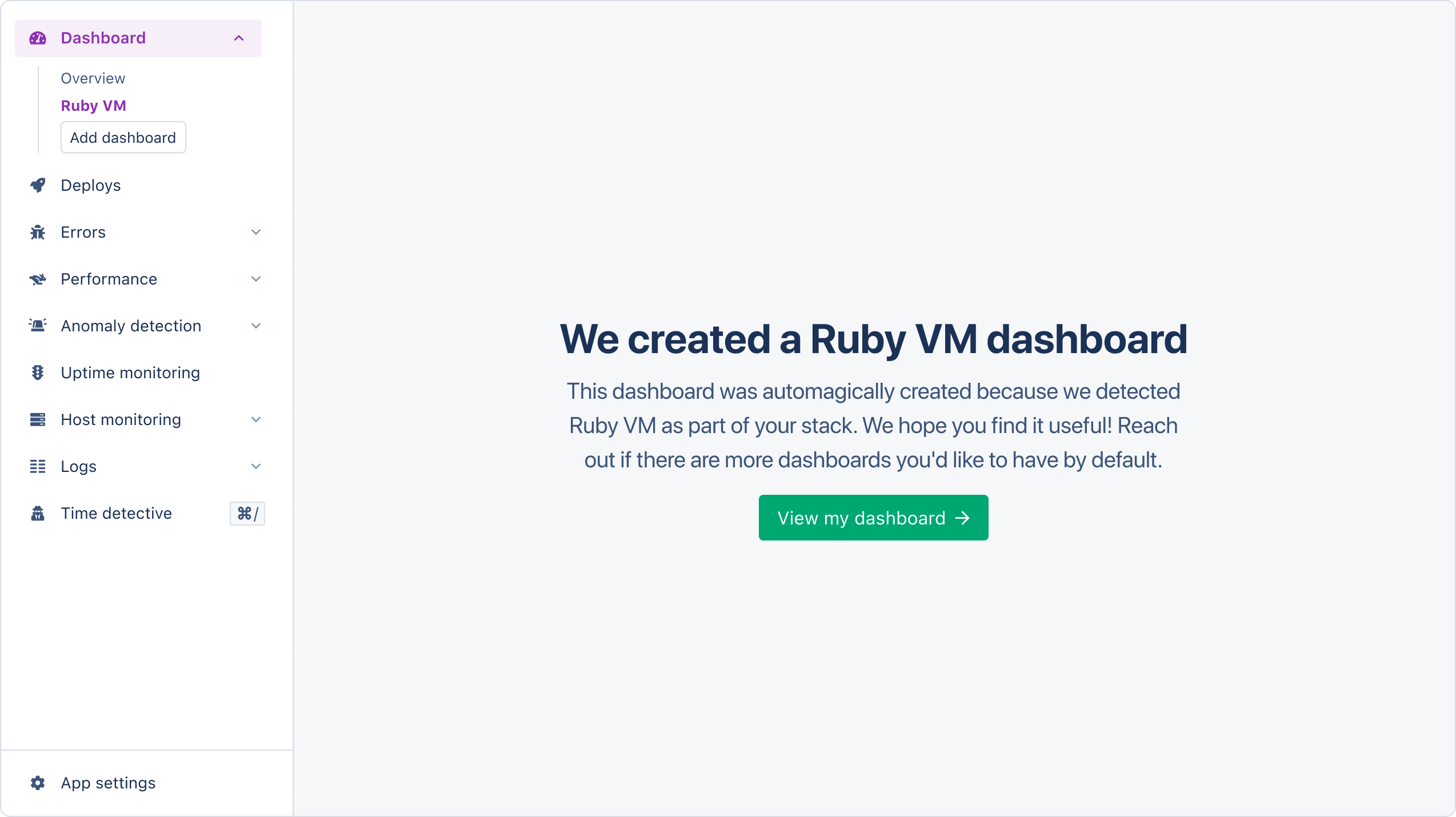
Magic dashboards verschijnen in de dashboardsectie van de AppSignal-app.

<img src="https://mintcdn.com/appsignal-715f5a51/4TRZP0Sq9Zq7PAPW/assets/images/screenshots/ruby/integrations/ruby-vm/dashboard-created.png?fit=max&auto=format&n=4TRZP0Sq9Zq7PAPW&q=85&s=fae0dd2e21d593846e3567eeef14efe1" alt="Ruby VM magic dashboard creation" width="2548" height="1430" data-path="assets/images/screenshots/ruby/integrations/ruby-vm/dashboard-created.png" />

Het Ruby VM magic dashboard bevat de volgende grafieken:

| Grafiek                                                     | Metrieken                                                                                                                       | Tags                                 |
| ----------------------------------------------------------- | ------------------------------------------------------------------------------------------------------------------------------- | ------------------------------------ |
| [Allocated objects](#allocated-objects-graph)               | `allocated_objects`                                                                                                             | `hostname`                           |
| [Garbage Collection Count](#garbage-collection-count-graph) | <li>`minor_gc_count`</li> <li>`minor_gc_count`</li> <li>`gc_count`</li>                                                         | <li>`metric`</li><li>`hostname`</li> |
| [Heap slots](#heap-slots-graph)                             | <li>`heap_live`</li> <li>`heap_free`</li>                                                                                       | <li>`metric`</li><li>`hostname`</li> |
| [Ruby VM](#ruby-vm-graph)                                   | <li>`class_serial`</li><li>`global_constant_state`</li><li>`constant_cache_invalidations`</li><li> `constant_cache_misses`</li> | <li>`metric`</li><li>`hostname`</li> |
| [Thread count](#thread-count-graph)                         | `thread_count`                                                                                                                  | `hostname`                           |

Tags geven u een contextueel overzicht van Ruby VM-prestatie-informatie. AppSignal rapporteert de volgende tags voor Ruby VM-prestaties:

| Naam       | Beschrijving                                             |
| ---------- | -------------------------------------------------------- |
| `hostname` | De naam van de host waarvan de metriek is gerapporteerd. |
| `metric`   | De totale metriekwaarde voor alle hosts.                 |

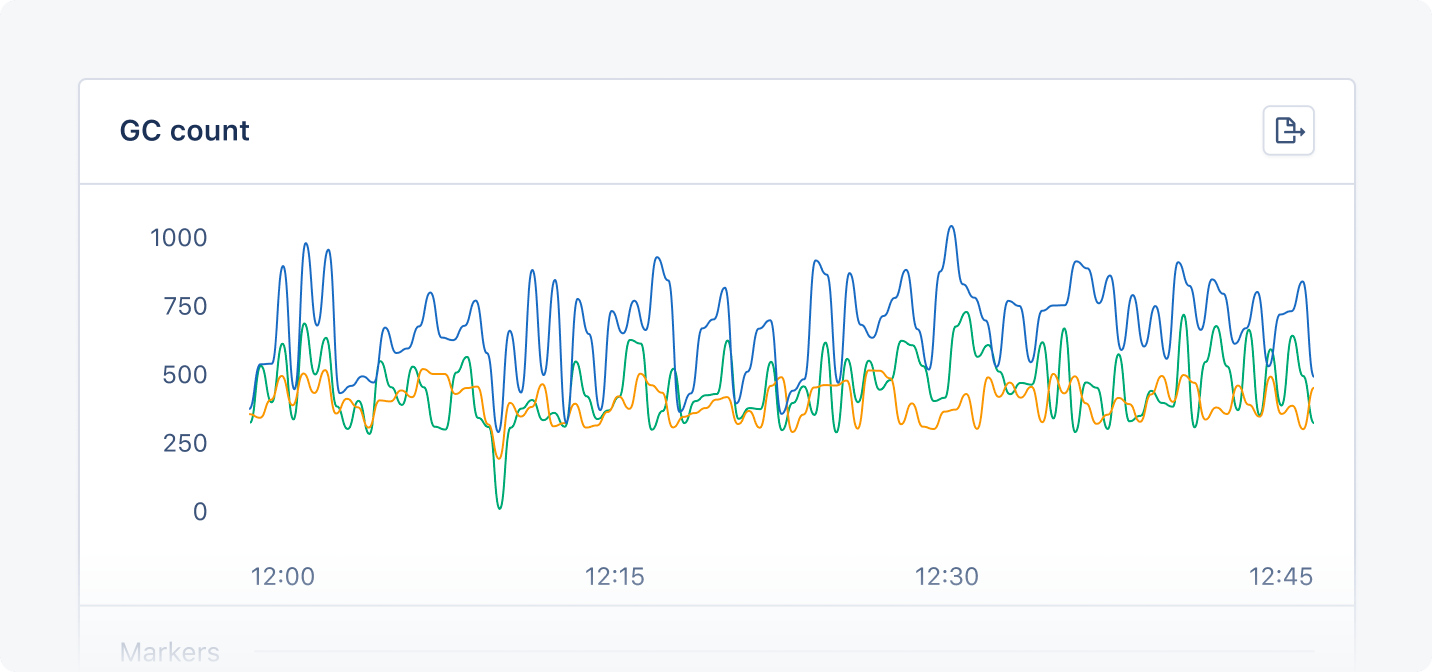
AppSignal vertegenwoordigt elke tag met een gekleurde lijn op de grafiek:

<img src="https://mintcdn.com/appsignal-715f5a51/4TRZP0Sq9Zq7PAPW/assets/images/screenshots/ruby/integrations/ruby-vm/gc-count-graph.png?fit=max&auto=format&n=4TRZP0Sq9Zq7PAPW&q=85&s=2aea582a012bc62c561298e9c97a992d" alt="Ruby VM magic dashboard example graph" width="1432" height="672" data-path="assets/images/screenshots/ruby/integrations/ruby-vm/gc-count-graph.png" />

### Allocated objects-grafiek

De Allocated objects-grafiek toont hoeveel complexe Ruby-waarden (objecten, geen strings, integers, booleans, enz.) geheugen gebruiken in de Ruby virtual machine.

U kunt de Allocated objects-grafiek gebruiken om het geheugengebruik en de prestaties van uw applicatie te monitoren en optimaliseren.

### Garbage collection count-grafiek

De GC counts-grafiek toont het aantal garbage collection-events/-runs in de afgelopen minuut, opgesplitst in major- en minor-events.

U kunt de GC counts-grafiek gebruiken om de frequentie van garbage collection en de impact daarvan op de prestaties en het geheugengebruik van uw applicatie te monitoren.

### Heap slots-grafiek

De Heap slots-grafiek toont de heap slots die momenteel zijn toegewezen door de Ruby virtual machine, opgesplitst in live en vrije slots.

U kunt de Heap slots-grafiek gebruiken om geheugentoewijzing te monitoren en mogelijke oorzaken van geheugenlekken of fragmentatie te identificeren.

### Ruby VM-grafiek

<Warning>
  De metrieken `constant_cache_misses` en `constant_cache_invalidations` zijn
  alleen beschikbaar in Ruby-versies 3.2.0 en hoger.
</Warning>

De Ruby VM-grafiek toont statistieken uit de methode RubyVM.stat over de constant-cache en de klassen die in uw applicatie zijn aangemaakt.

U kunt de Ruby VM-grafiek gebruiken om de cache-status van constante waarden te monitoren en te zien hoe uw applicatie de Ruby VM-status beïnvloedt.

### Thread count-grafiek

De Thread count-grafiek toont het aantal threads dat momenteel in uw applicatie wordt uitgevoerd.

U kunt de Thread count-grafiek gebruiken om de threading van uw applicatie te monitoren. Ruby VM Lock draait serieel, wat betekent dat het slechts één thread tegelijk kan uitvoeren. Een hoog aantal threads kan tot prestatieproblemen leiden.
