> ## Documentation Index
> Fetch the complete documentation index at: https://docs.appsignal.com/llms.txt
> Use this file to discover all available pages before exploring further.
# Notifier-beheer
Notifiers stellen u op de hoogte wanneer uw applicatie een incident tegenkomt, zoals een error, een performance-issue of een afwijking.
Admins kunnen notifiers beheren om de applicatie-installatie te stroomlijnen, bijvoorbeeld door een standaard-notifier in te stellen en notifiers te beheren voor alle applicaties van een organisatie. Dit is met name handig voor organisaties met veel apps, zoals bureaus.
### Deze documentatie behandelt:
* [Notifiers die beschikbaar zijn in AppSignal](#available-notifiers)
* [Hoe u alle notifiers in AppSignal bekijkt](#view-all-notifiers)
* [Hoe u notifiers in AppSignal beheert](#manage-notifiers)
## Beschikbare notifiers
AppSignal ondersteunt momenteel de volgende notifiers:
* [Discord](/application/integrations/discord)
* [Google Hangouts Chat](#google-hangouts-chat)
* [Microsoft Teams](/application/integrations/teams)
* [OpsGenie](/application/integrations/opsgenie)
* [PagerDuty](/application/integrations/pagerduty)
* [Slack](/application/integrations/slack)
* [Webhook](/application/integrations/webhooks)
Webhooks kunnen worden gebruikt om AppSignal te configureren om samen te werken met aanvullende diensten. Veel third-party-notifiers bieden hun eigen documentatie voor het verbinden met AppSignal via onze Webhook. Voor meer details kunt u hun documentatie lezen:
* [All Quiet](https://docs.allquiet.app/integrations/inbound/appsignal)
* [ilert](https://docs.ilert.com/inbound-integrations/appsignal)
* [Squadcast](https://support.squadcast.com/integrations/alert-source-integrations-native/appsignal)
* [Zenduty](https://www.zenduty.com/docs/appsignal-integration/)
U kunt een volledige lijst van ondersteunde third-party-integraties zien in onze [documentatie over integraties](https://docs.appsignal.com/application/integrations.html).
## Alle notifiers bekijken
Om notifiers te beheren, moet u admin-rechten hebben voor uw organisatie.
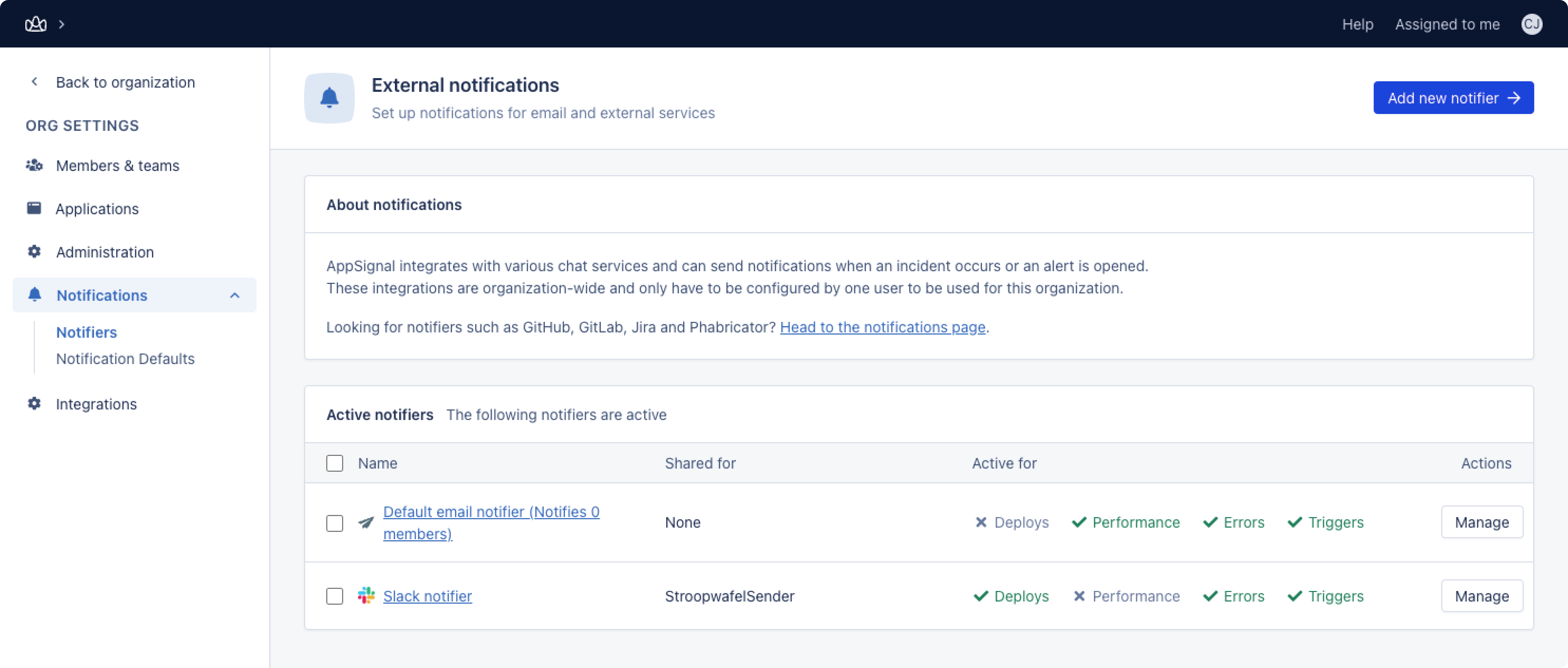
Admins kunnen navigeren naar Organization settings > Notifications > Notifications. In het Notifications-overzicht kunt u notifiers beheren en verwijderen.
 ## Notifiers beheren
Om een notifier te beheren, klikt u op 'Manage'. Hier kunt u:
* [Notifier-instellingen beheren](#manage-notifier-settings)
* [Notifier-scope beheren](#manage-notifier-scope)
* [Notifier standaard maken op nieuwe applicaties](#make-notifier-default-on-new-applications)
* [Notifier-events beheren](#manage-notifier-events)
### Notifier-instellingen beheren
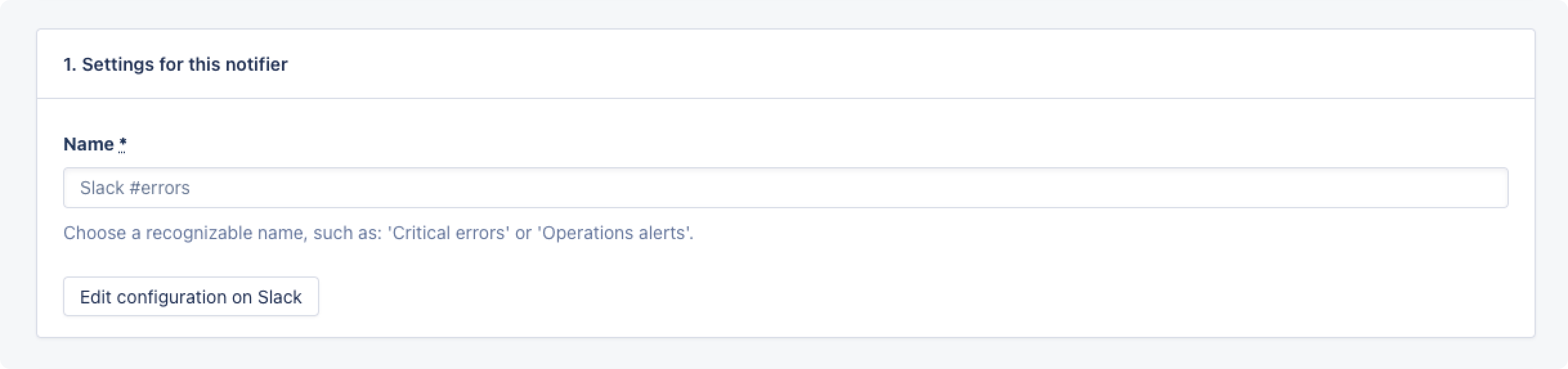
In de sectie Settings for this notifier kunt u de naam beheren, en voor e-mail-notifiers het herinneringsinterval van uw notifier. Het herinneringsinterval geeft AppSignal aan hoe vaak een notificatie moet worden verzonden wanneer er een open alert is.
## Notifiers beheren
Om een notifier te beheren, klikt u op 'Manage'. Hier kunt u:
* [Notifier-instellingen beheren](#manage-notifier-settings)
* [Notifier-scope beheren](#manage-notifier-scope)
* [Notifier standaard maken op nieuwe applicaties](#make-notifier-default-on-new-applications)
* [Notifier-events beheren](#manage-notifier-events)
### Notifier-instellingen beheren
In de sectie Settings for this notifier kunt u de naam beheren, en voor e-mail-notifiers het herinneringsinterval van uw notifier. Het herinneringsinterval geeft AppSignal aan hoe vaak een notificatie moet worden verzonden wanneer er een open alert is.
 ### Notifier-scope beheren
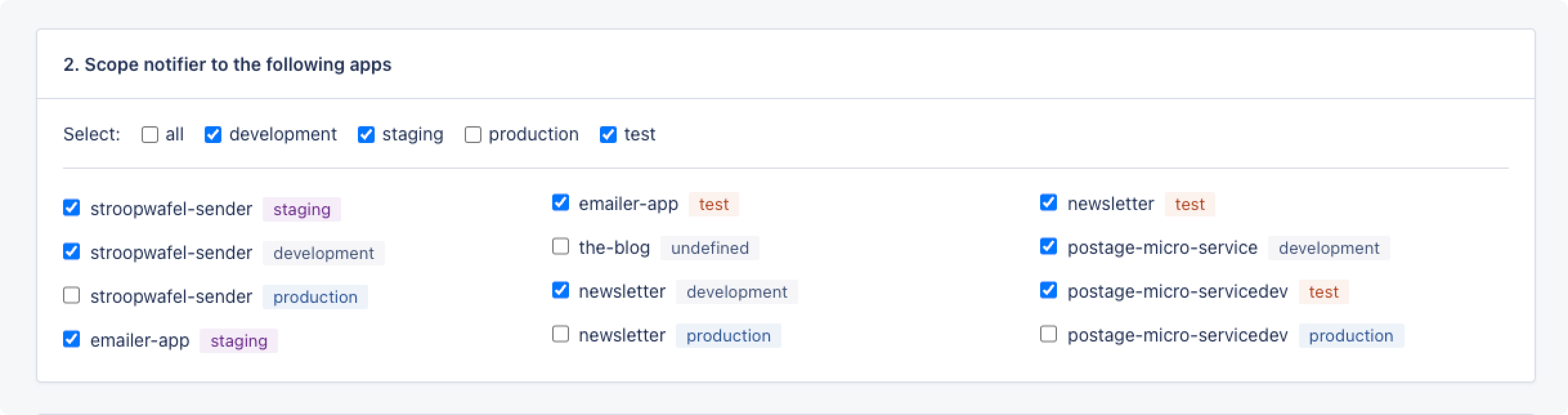
In notifier-scope kunt u de scope van een notifier beheren voor alle applicaties van uw organisatie. Scope kan worden gedefinieerd per applicatie en per environment, dus bijvoorbeeld voor alle apps die draaien in de production-environment.
### Notifier-scope beheren
In notifier-scope kunt u de scope van een notifier beheren voor alle applicaties van uw organisatie. Scope kan worden gedefinieerd per applicatie en per environment, dus bijvoorbeeld voor alle apps die draaien in de production-environment.
 ### Notifier standaard maken op nieuwe applicaties
Indien ingeschakeld, wordt deze notifier standaard ingesteld op alle nieuwe applicaties. Als u een Slack-notifier hebt voor alle production-apps en deze als standaard instelt, hebben alle nieuwe applicaties die u met AppSignal monitort automatisch die notifier geconfigureerd.
### Notifier standaard maken op nieuwe applicaties
Indien ingeschakeld, wordt deze notifier standaard ingesteld op alle nieuwe applicaties. Als u een Slack-notifier hebt voor alle production-apps en deze als standaard instelt, hebben alle nieuwe applicaties die u met AppSignal monitort automatisch die notifier geconfigureerd.
 ### Notifier-events beheren
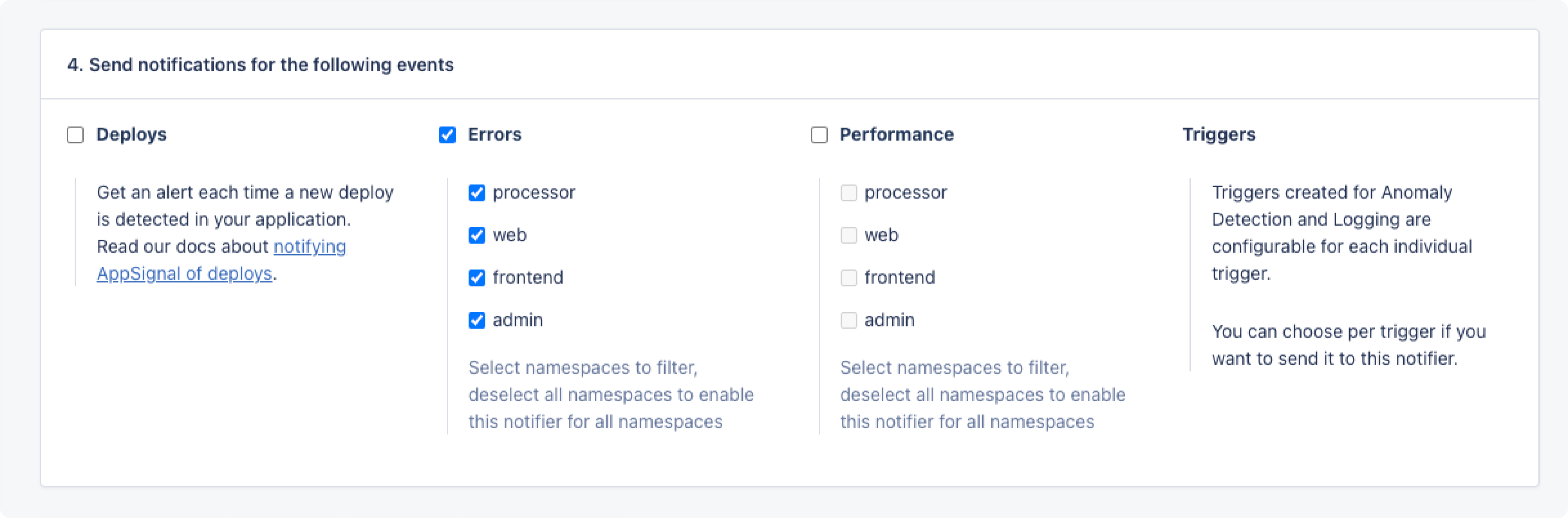
Hier kunt u beheren welke applicatie-events uw notifier activeren, zoals deploys, errors, performance-issues en triggers, gescoped per namespace. Dus bijvoorbeeld alleen notificaties versturen voor error-events in de `API`-namespace.
### Notifier-events beheren
Hier kunt u beheren welke applicatie-events uw notifier activeren, zoals deploys, errors, performance-issues en triggers, gescoped per namespace. Dus bijvoorbeeld alleen notificaties versturen voor error-events in de `API`-namespace.