> ## Documentation Index
> Fetch the complete documentation index at: https://docs.appsignal.com/llms.txt
> Use this file to discover all available pages before exploring further.
# AppSignal aan repo koppelen
De volgende documentatie leidt u door alle stappen die nodig zijn om AppSignal te integreren met de repository's van uw GitHub-organisatie en deze aan uw AppSignal-apps te koppelen, zodat u issue-tracking kunt instellen.
## Issue tracker-integraties van de organisatie toevoegen
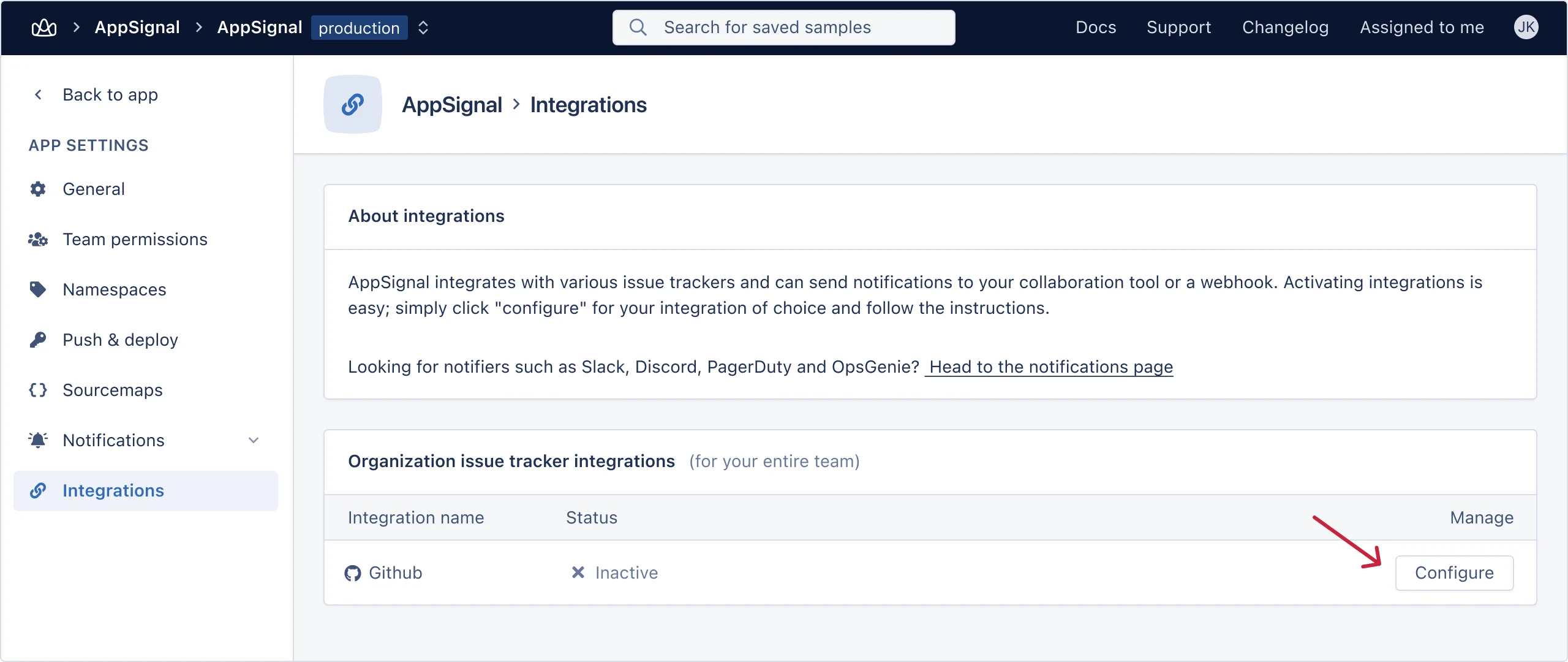
Ga naar de [integratiepagina](https://appsignal.com/redirect-to/app?to=integrations) van uw applicatie. Klik op de knop "Configure" voor de GitHub-integratie.
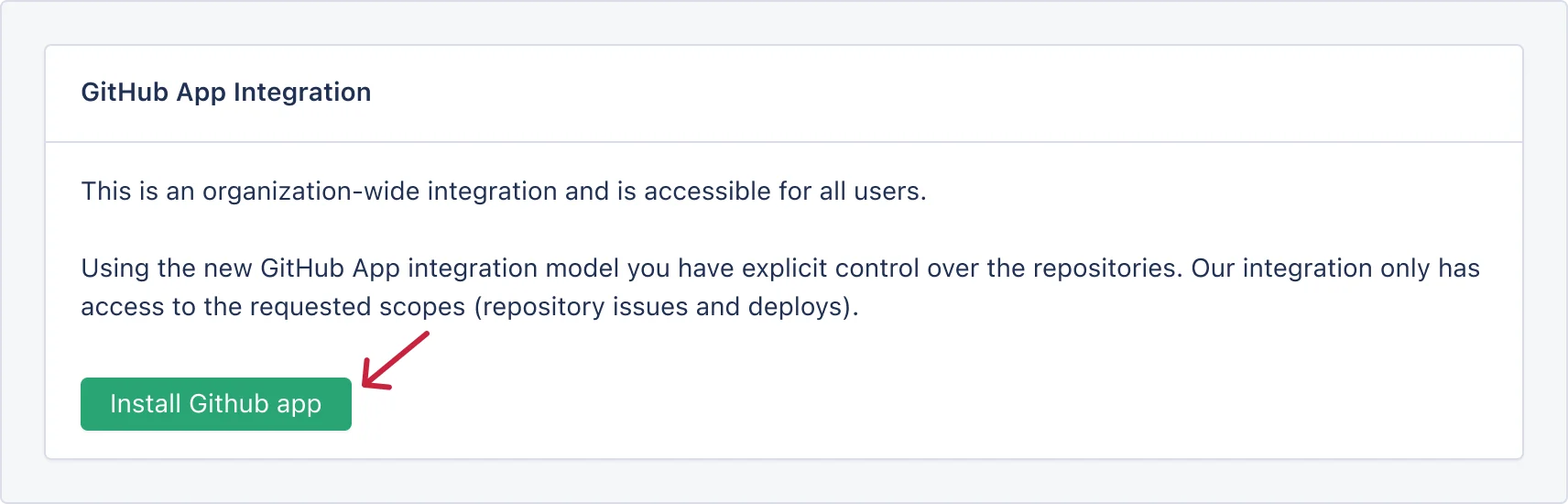
 Klik in de volgende stap op de knop "Install GitHub app".
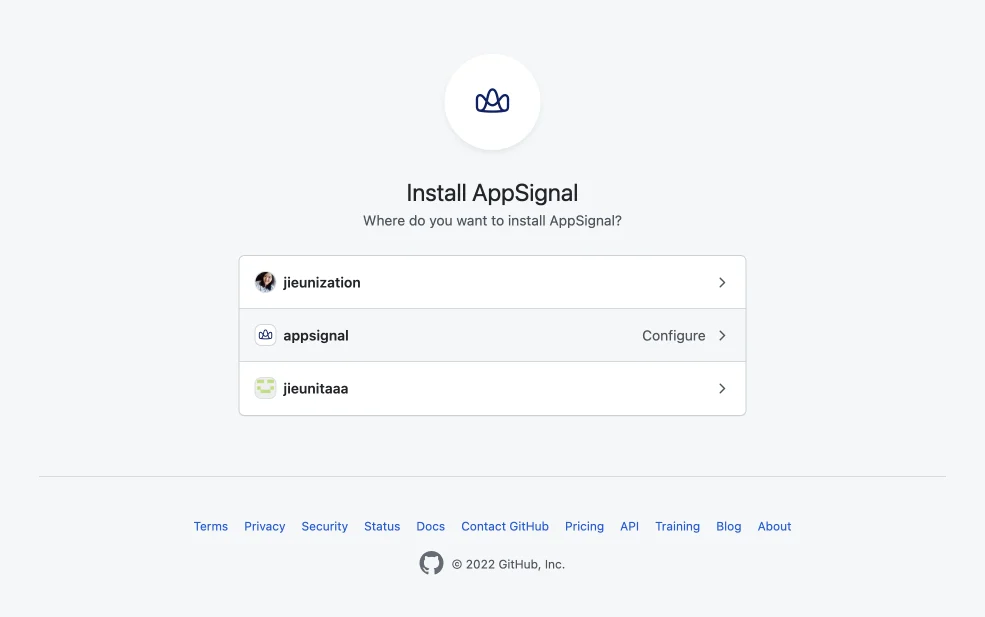
 U wordt doorgestuurd naar GitHub. Selecteer hier uw account/organisatie waar de broncode van de applicatie zich bevindt.
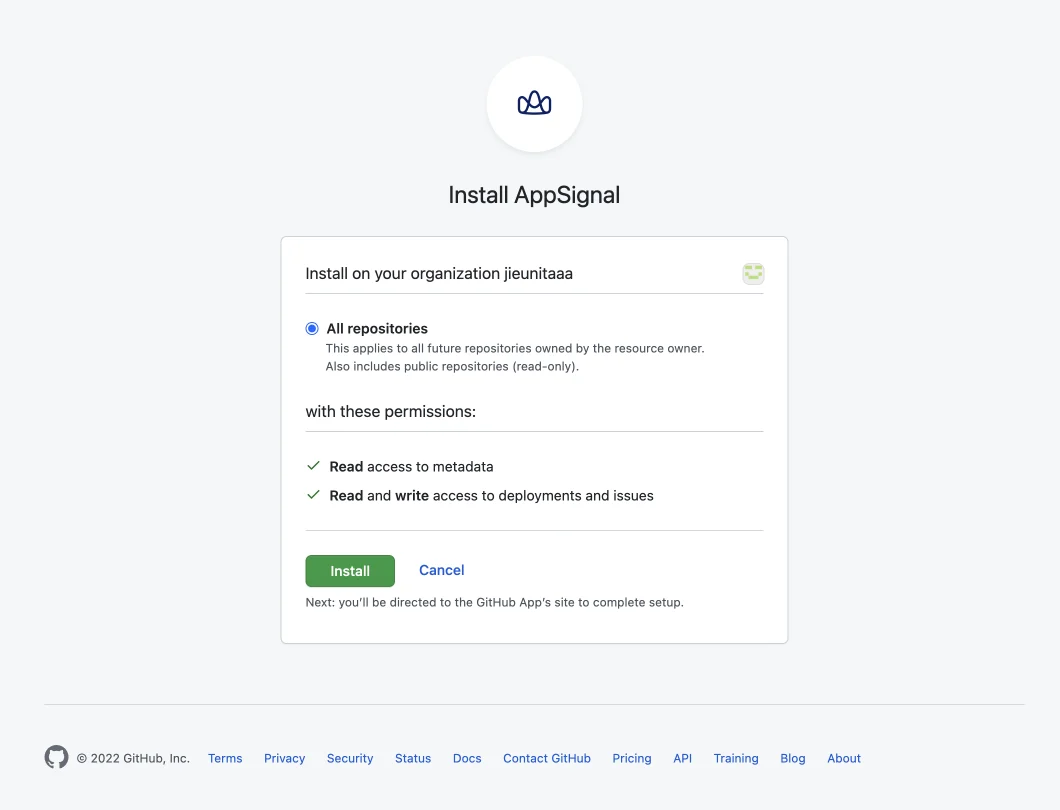
 Vervolgens wordt u gevraagd de repository van uw applicatie te selecteren. Afhankelijk van uw voorkeur kiest u "All repositories" of selecteert u specifieke repository's via "Only select repositories". Klik wanneer klaar op de knop "Install & Request".
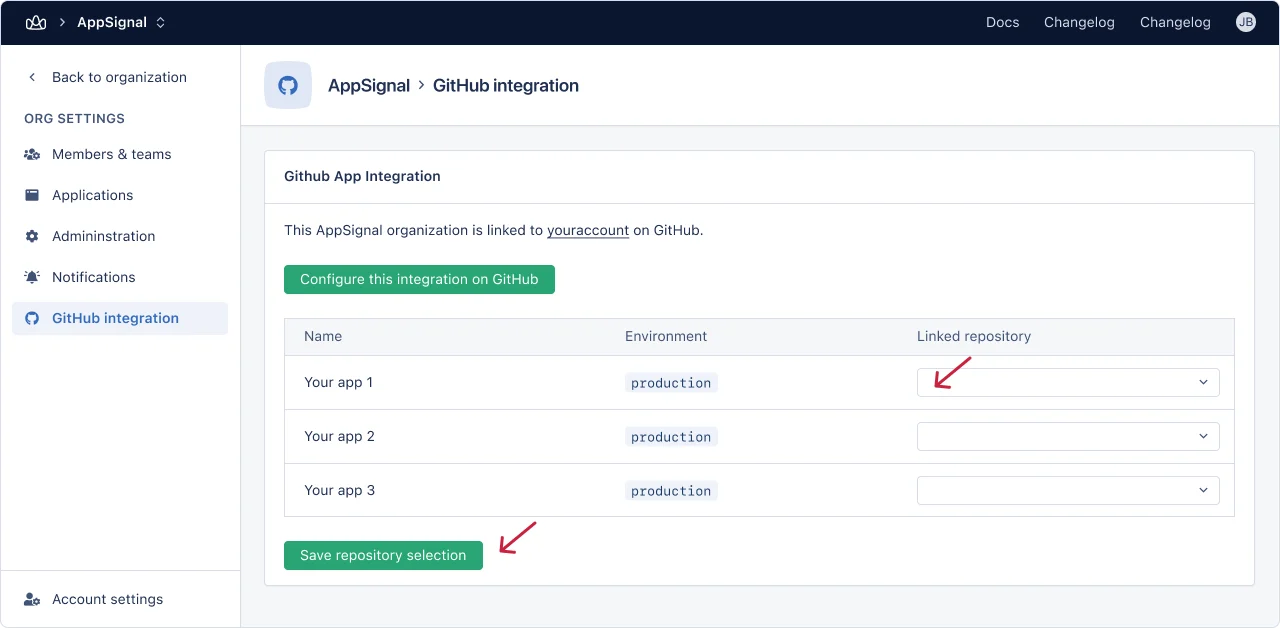
 Na deze stap wordt u teruggestuurd naar AppSignal, waar u uw applicatie in AppSignal aan de repository in GitHub kunt koppelen via het dropdownmenu "linked repository" en vervolgens op de knop "Save repository selection" klikt.
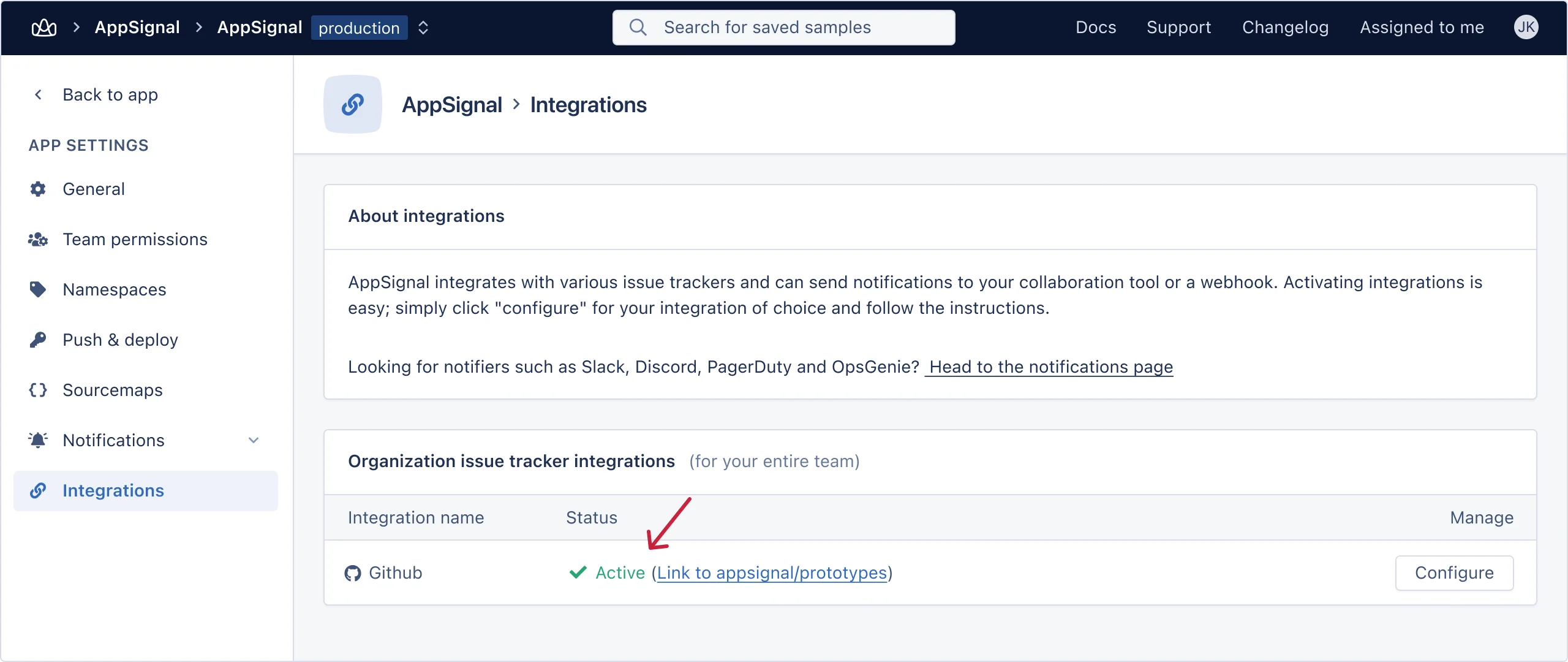
 U bent nu klaar. Wanneer u teruggaat naar de [integratiepagina](https://appsignal.com/redirect-to/app?to=integrations) van uw applicatie, ziet u dat de integratie nu actief is.
 ### Probleemoplossing
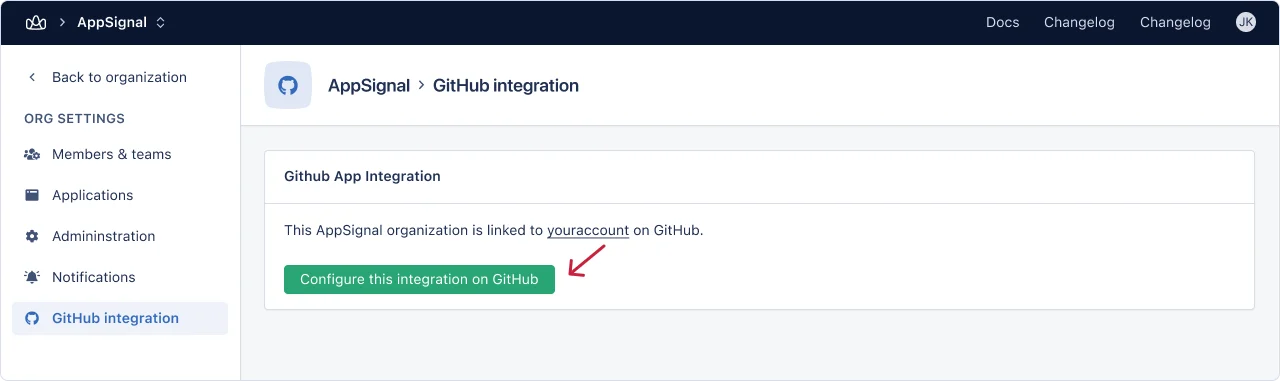
Als u uw organisatie op GitHub al aan AppSignal hebt gekoppeld en u de repository niet ziet wanneer u de [organisatie-integratiepagina](https://appsignal.com/redirect-to/organization?to=admin/integrations/github) bezoekt, klikt u op de knop "Configure this integration on GitHub".
### Probleemoplossing
Als u uw organisatie op GitHub al aan AppSignal hebt gekoppeld en u de repository niet ziet wanneer u de [organisatie-integratiepagina](https://appsignal.com/redirect-to/organization?to=admin/integrations/github) bezoekt, klikt u op de knop "Configure this integration on GitHub".
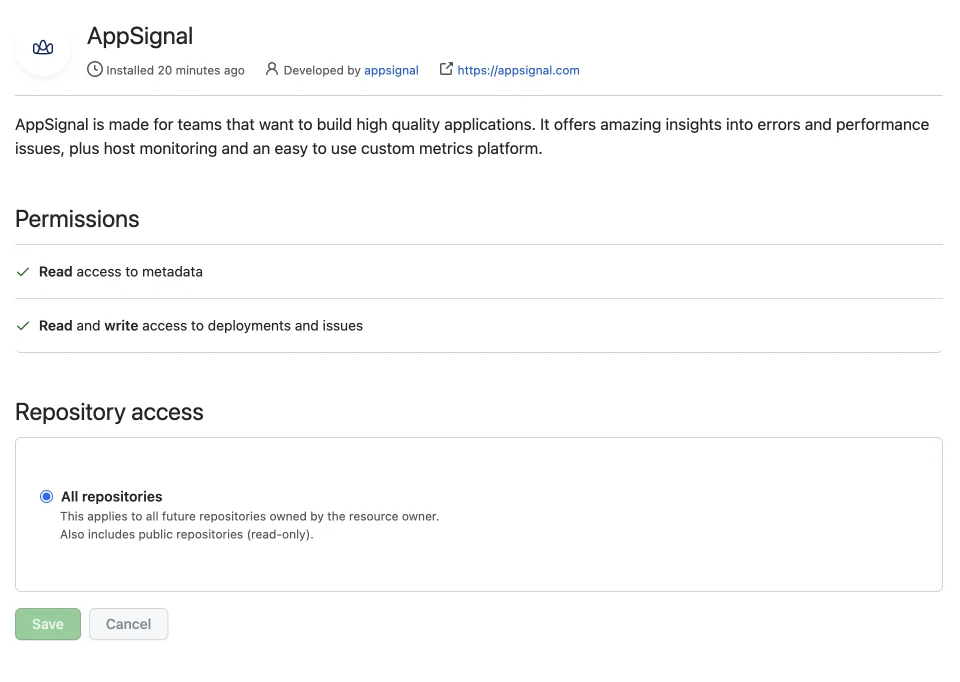
 U wordt doorgestuurd naar GitHub. Zorg ervoor dat u de repository die in AppSignal ontbreekt hebt geselecteerd, of kies "All repositories", en klik op de knop "Save".
 U wordt teruggestuurd naar AppSignal en zou nu de naam van uw repository moeten kunnen zien in het dropdownmenu "linked repository".
Als er iets misgaat tijdens het valideren van de integratie, ziet u een foutmelding.
Voel u vrij om [contact met ons op te nemen](mailto:support@appsignal.com) als u problemen ondervindt bij het instellen van deze integratie.
[github]: https://github.com
U wordt teruggestuurd naar AppSignal en zou nu de naam van uw repository moeten kunnen zien in het dropdownmenu "linked repository".
Als er iets misgaat tijdens het valideren van de integratie, ziet u een foutmelding.
Voel u vrij om [contact met ons op te nemen](mailto:support@appsignal.com) als u problemen ondervindt bij het instellen van deze integratie.
[github]: https://github.com