> ## Documentation Index
> Fetch the complete documentation index at: https://docs.appsignal.com/llms.txt
> Use this file to discover all available pages before exploring further.
# Log Attributes
Want to get the most out of your logs? Read our [Learning Center article on
logging best
practices](https://www.appsignal.com/learning-center/what-logs-should-i-store)
for more information on properly utilizing your application logs.
The best kinds of logs are descriptive, contextual, and concise. Attributes allow you to quickly store, query, and filter key contextual information from your application's logs.
Attributes are supported with the [Logfmt][logfmt-docs], [JSON][json-docs], and [NDJSON][ndjson-docs] log formats.
AppSignal will parse logs received from your source based on key-value pairs, storing each key and value as attributes on the log line, allowing you to filter log lines on these attributes.
Formatting attributes with:
* [Logfmt](#logfmt)
* [JSON and NDJSON](#json-and-ndjson)
Logfmt
In Logfmt, attributes can be added to log lines:
```text Text theme={null}
this is foo=bar a duration=10 message message="I am a message"
```
For example, the above log line will be parsed to a log line with the message `"I am a message"`, and the following attributes:
```json JSON theme={null}
{ "foo": "bar", "duration": 10 }
```
[Read more about Logfmt log formatting.](/logging/formatting/logfmt)
JSON and NDJSON
In JSON, attributes can be added in a hash under the key `attributes`:
```text Text theme={null}
{
"timestamp": "2022-06-02T04:17:25.783Z",
"group": "organisations",
"severity": "warn",
"message": "This is a test message",
"hostname": "frontend1",
"attributes": {
"org": "appsignal",
"step": 1,
"seen_terms": true,
"entries": 10.01
}
}
```
For example, the above log line will be parsed to a log line with the message `"This is a test message"`, and the following attributes:
```json JSON theme={null}
{ "org": "appsignal", "step": 1, "seen_terms": true, "entries": 10.01 }
```
[Read more about JSON/NDJSON log formatting.](/logging/formatting/json)
Querying Attributes in AppSignal
In AppSignal, you can search for logs that match specific attribute conditions.
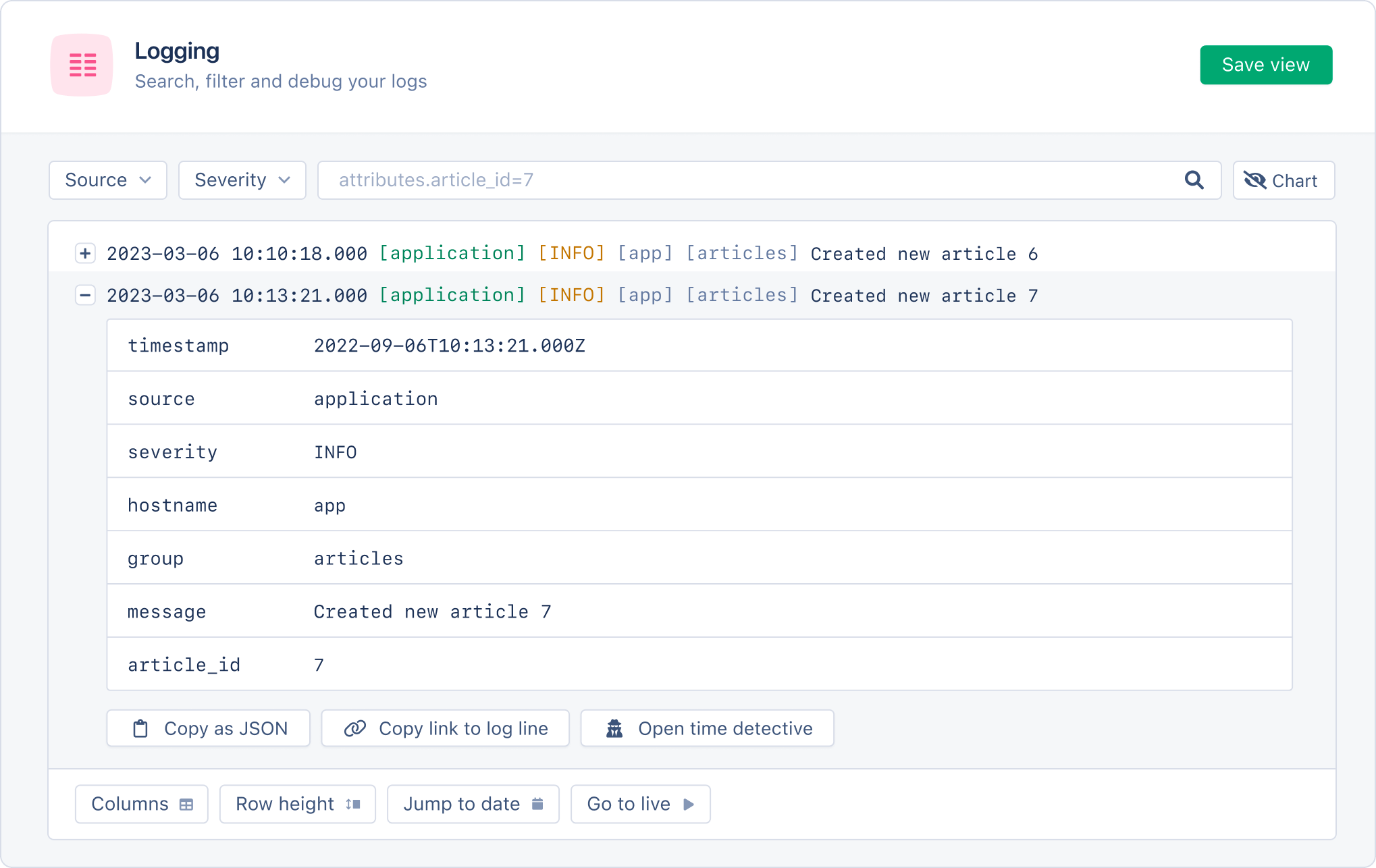
For example, the following query would return all logs with an `article_id` attribute that contains the value 7:
```text Text theme={null}
attributes.article_id=7
```
Read our [log management documentation](/logging/query-syntax) for a full explanation of our logging search syntax.
When a log is expanded, attributes will be listed under the log message:
 Attribute values can be any of the following types:
* string
* integer (e.g. `10`)
* double (e.g. `10.01`)
* boolean (`true`/`false`)
Attribute keys must follow the following rules:
* Keys must be alphanumeric.
* Keys cannot contain spaces but may contain full stops (.), underscores (\_), and hyphens (-).
* Keys may not contain more than 50 characters
* Values must not be longer than 255 characters
* No more than 25 attributes per log message.
In the event attribute keys and values do not follow the above rules, the following behavior can be expected:
* If a key does not have a value, it will be appended to the message field.
* If a key-value pair has a key with the name of msg or message, the value of this key will be parsed as the log message.
* If no message/msg key is available, the entire log line will be considered the message.
[json-docs]: /logging/formatting/json.html#json
[logfmt-docs]: /logging/formatting/logfmt.html
[ndjson-docs]: /logging/endpoints/http-json#ndjson
Attribute values can be any of the following types:
* string
* integer (e.g. `10`)
* double (e.g. `10.01`)
* boolean (`true`/`false`)
Attribute keys must follow the following rules:
* Keys must be alphanumeric.
* Keys cannot contain spaces but may contain full stops (.), underscores (\_), and hyphens (-).
* Keys may not contain more than 50 characters
* Values must not be longer than 255 characters
* No more than 25 attributes per log message.
In the event attribute keys and values do not follow the above rules, the following behavior can be expected:
* If a key does not have a value, it will be appended to the message field.
* If a key-value pair has a key with the name of msg or message, the value of this key will be parsed as the log message.
* If no message/msg key is available, the entire log line will be considered the message.
[json-docs]: /logging/formatting/json.html#json
[logfmt-docs]: /logging/formatting/logfmt.html
[ndjson-docs]: /logging/endpoints/http-json#ndjson