> ## Documentation Index
> Fetch the complete documentation index at: https://docs.appsignal.com/llms.txt
> Use this file to discover all available pages before exploring further.
# Heroku Logplex Errors
> Learn how to set up Heroku Logplex Errors what the errors mean.
Make sure a working [Heroku Logplex Log Drain](/heroku/setup) is setup before continuing with this section.
AppSignal will automatically extract Heroku errors from the Logplex data when a Log Drain is setup, no further action is required.
These errors behave like application errors and will produce incidents and samples. These errors will show up under a dedicated "heroku" namespace on AppSignal.
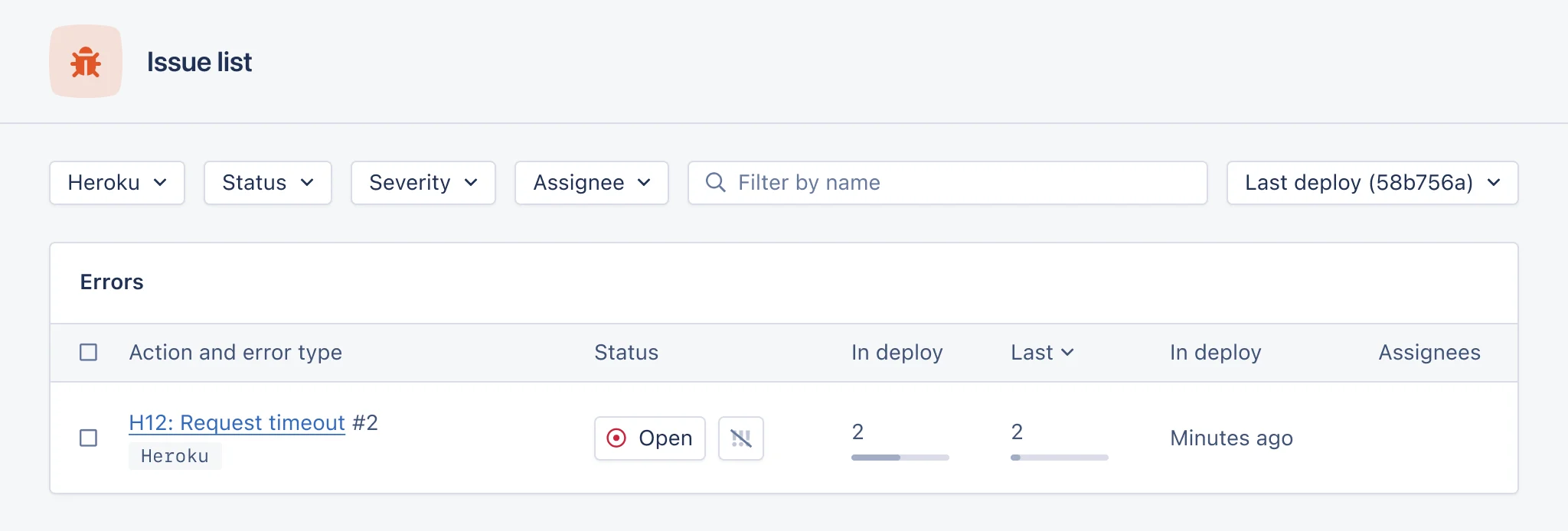 Because the errors are generated from Log lines, the information available is limited, we only get the Error name/code, metadata such as request\_id, path, method (GET/POST) etc, which will be available in the "Overview" section of the sample. These values are also available to filter samples by.
The error code is determined by Heroku, for a full list of error codes, see the [Heroku errors documentation](https://devcenter.heroku.com/articles/error-codes).
You'll receive notifications for these errors when notifiers are setup. If you do not wish to receive notifications for these errors, it's recommended to setup [Namespace default notification settings](/application/notification-settings).
Because the errors are generated from Log lines, the information available is limited, we only get the Error name/code, metadata such as request\_id, path, method (GET/POST) etc, which will be available in the "Overview" section of the sample. These values are also available to filter samples by.
The error code is determined by Heroku, for a full list of error codes, see the [Heroku errors documentation](https://devcenter.heroku.com/articles/error-codes).
You'll receive notifications for these errors when notifiers are setup. If you do not wish to receive notifications for these errors, it's recommended to setup [Namespace default notification settings](/application/notification-settings).