;
};
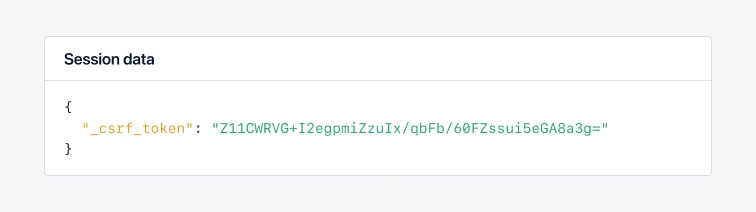
By default, the AppSignal integrations will track request session data for web applications in supported libraries.
You can set custom request session data on a transaction or span. Modifying the session data will overwrite the data set by the AppSignal instrumentations.
[All request session data is filtered](/guides/filter-data/filter-session-data) by our integrations before being sent to our servers.
🔐 Do not send Personal Identifiable Information (PII) to AppSignal. Filter PII (e.g., names, emails) and use an ID, hash, or pseudonymized identifier instead.
Use [Link Templates](https://docs.appsignal.com/application/link-templates) to link them back in your app.
See the table below for a list of accepted root values per language. Each nested object can contain values that result in valid JSON (strings, integers, floats, booleans, nulls, etc.).
| Language | Accepted root values |
| ---------- | ---------------------- |
| Ruby | Arrays, Hashes |
| JavaScript | Arrays, Objects |
| Elixir | Lists, Maps |
| Python | Lists, Maps |
| Go | JSON serialized string |
| Java | JSON serialized string |
| PHP | Arrays, Objects |
```ruby Ruby theme={null}
# Call `add_session_data` multiple times to set more session data
Appsignal.add_session_data(
:user_id => "123",
:menu => { :type => "hamburger" }
)
Appsignal.add_session_data(:menu => { :state => "closed" })
Appsignal.add_session_data(:menu => { :state => "open" })
# Session data:
# {
# :user_id => "123",
# :menu => { :state => "open" }
# }
```
```elixir Elixir theme={null}
Appsignal.Span.set_sample_data(
Appsignal.Tracer.root_span,
"session_data",
%{user_id: "123", menu: "open"}
)
```
```javascript Node.js theme={null}
import { setSessionData } from "@appsignal/nodejs";
setSessionData({ user_id: "123", menu: "open" });
```
```python Python theme={null}
from appsignal import set_session_data
set_session_data({"user_id": "123", "menu": "open"})
```
```go Go theme={null}
// Additional setup is required to first fetch or create a new span
import (
"encoding/json"
"go.opentelemetry.io/otel/attribute"
"go.opentelemetry.io/otel/trace"
)
session_data := map[string]interface{}{
"key1": "value1",
"key2": "value2",
"nested": map[string]interface{}{
"key3": "value3",
"key4": "value4",
},
}
json, _ := json.Marshal(session_data)
span.SetAttributes(attribute.String("appsignal.request.session_data", string(json)))
```
```java Java theme={null}
// Additional setup is required to first fetch or create a new span
import io.opentelemetry.api.trace.Span;
// We're using the Jackson JSON library
// You may need to add it to your project as a dependency
import com.fasterxml.jackson.databind.ObjectMapper;
import java.util.HashMap;
import java.util.Map;
Map sessionData = new HashMap<>();
sessionData.put("user_id", "123");
sessionData.put("menu", "open");
Map nested = new HashMap<>();
nested.put("key3", "value3");
nested.put("key4", "value4");
sessionData.put("nested", nested);
try {
ObjectMapper mapper = new ObjectMapper();
String jsonString = mapper.writeValueAsString(sessionData);
Span span = Span.current();
span.setAttribute("appsignal.request.session_data", jsonString);
} catch (Exception e) {
// Add error handling here
}
```
```php PHP theme={null}
'value1',
'param2' => 'value2',
'nested' => [
'param3' => 'value3',
'param4' => 'value4',
],
];
Appsignal::setSessionData($data);
```
For certain languages, additional setup is required.
Please follow the instructions for these languages:
* [Go](/go/custom-instrumentation)
* [Java](/java/custom-instrumentation)
## Limitations
If the application sets session data multiple times, the Ruby gem will merge values at the root level.
For other integrations, only the last set value is stored.
 ## Limitations
If the application sets session data multiple times, the Ruby gem will merge values at the root level.
For other integrations, only the last set value is stored.
## Limitations
If the application sets session data multiple times, the Ruby gem will merge values at the root level.
For other integrations, only the last set value is stored.