> ## Documentation Index
> Fetch the complete documentation index at: https://docs.appsignal.com/llms.txt
> Use this file to discover all available pages before exploring further.

# Add Request Parameters

export const Compatibility = ({versions = [], label = "Available in"}) => {
  if (!Array.isArray(versions) || versions.length === 0) {
    return null;
  }
  const defaultPillStyle = {
    borderColor: "#d4d4d8",
    background: "#f4f4f5",
    color: "#3f3f46"
  };
  const pillStyles = {
    "AppSignal for Elixir": {
      background: "#f3e8ff",
      borderColor: "#d8b4fe",
      color: "#6b21a8"
    },
    "AppSignal for Front-end": {
      background: "#fef9c3",
      borderColor: "#fde047",
      color: "#854d0e"
    },
    "AppSignal for Go": {
      background: "#ccfbf1",
      borderColor: "#5eead4",
      color: "#115e59"
    },
    "AppSignal for JavaScript": {
      background: "#fef9c3",
      borderColor: "#fde047",
      color: "#854d0e"
    },
    "AppSignal for Node.js": {
      background: "#dcfce7",
      borderColor: "#86efac",
      color: "#166534"
    },
    "AppSignal for Python": {
      background: "#dbeafe",
      borderColor: "#93c5fd",
      color: "#1e40af"
    },
    "AppSignal for Ruby": {
      background: "#fee2e2",
      borderColor: "#fca5a5",
      color: "#991b1b"
    },
    "AppSignal for Rust": {
      background: "#ffedd5",
      borderColor: "#fdba74",
      color: "#9a3412"
    }
  };
  const getPillStyle = name => ({
    ...defaultPillStyle,
    ...pillStyles[name] || ({})
  });
  return <div className="not-prose my-4 rounded-lg border border-zinc-200 bg-zinc-50 px-4 py-3 text-sm dark:border-white/10 dark:bg-white/5">
      <div className="flex flex-wrap items-center gap-x-2 gap-y-1">
        <span className="font-semibold text-zinc-700 dark:text-zinc-200">
          {label}:
        </span>
        {versions.map((v, i) => <span key={`${v.name}-${v.version}-${i}`} className="inline-flex items-center gap-1 rounded-full border px-2 py-0.5 text-xs font-medium" style={getPillStyle(v.name)}>
            <span>{v.name}</span>
            <span className="opacity-70">
              {v.version}
              {v.exact ? "" : "+"}
            </span>
          </span>)}
      </div>
    </div>;
};

<Compatibility
  versions={[
{ name: "AppSignal for Ruby", version: "4.0.0" },
{ name: "AppSignal for Elixir", version: "1.0.0" },
{ name: "AppSignal for Node.js", version: "3.0.0" },
{ name: "AppSignal for Python", version: "0.3.0" },
{ name: "AppSignal Collector", version: "0.6.0" },
{ name: "AppSignal for PHP", version: "0.5.0" },
]}
/>

By default, the AppSignal integrations track request parameters for web requests in supported libraries. These include query parameters and the POST request body\*. For background jobs, we store the job arguments in the parameters.

<Tip>
  \*: The AppSignal for PHP package and the languages supported through our [OpenTelemetry beta](/opentelemetry) store the request query parameters and request payload data separately.
  See the [request payload data](#request-payload-data) section for more information on how to set request payload data separately.
</Tip>

<Warning>
  🔐 Do not send <strong>Personal Identifiable Information (PII)</strong> to AppSignal. Filter PII (e.g., names, emails) and use an ID, hash, or pseudonymized identifier instead. <br /> <br /> Use [Link Templates](https://docs.appsignal.com/application/link-templates) to link them back in your app.
</Warning>

You can set custom parameters on a transaction or span. Modifying the parameters of a transaction will overwrite the data set by the AppSignal instrumentations.

[All parameters are filtered](/guides/filter-data/filter-parameters) by our integrations before being sent to our servers.

See the table below for a list of accepted root values per language. Each nested object can contain values that result in valid JSON (strings, integers, floats, booleans, nulls, etc.).

| Language   | Accepted root values   |
| ---------- | ---------------------- |
| Ruby       | Arrays, Hashes         |
| JavaScript | Arrays, Objects        |
| Elixir     | Lists, Maps            |
| Python     | Lists, Maps            |
| Go         | JSON serialized string |
| Java       | JSON serialized string |
| PHP        | Arrays, Objects        |

The below code sample shows how to set custom request parameters:

<CodeGroup>
  ```ruby Ruby theme={null}
  # Values are merged at the top level
  Appsignal.add_params(
    :post => {
      :title => "My title",
      :body => "Post text."
    }
  )
  Appsignal.add_params(:user => { :login => "some_name" })
  Appsignal.add_params(:user => { :id => 123 })
  # Parameters:
  # {
  #   :post => { :title => "My title", :body => "Post text." },
  #   :user => { :id => 123 }
  # }
  ```

  ```elixir Elixir theme={null}
  Appsignal.Span.set_sample_data(
    Appsignal.Tracer.root_span,
    "params",
    %{
      post: %{
        title: "My new blog post!",
        body: "Some long blog post text."
      }
    }
  )
  ```

  ```javascript Node.js theme={null}
  import { setParams } from "@appsignal/nodejs";

  setParams({
    post: {
      title: "My new blog post!",
      body: "Some long blog post text.",
    },
  });
  ```

  ```python Python theme={null}
  from appsignal import set_params

  set_params({
    post: {
      title: "My new blog post!",
      body: "Some long blog post text."
    }
  })
  ```

  ```go Go theme={null}
  // Additional setup is required to first fetch or create a new span
  import (
  	"encoding/json"

  	"go.opentelemetry.io/otel/attribute"
  	"go.opentelemetry.io/otel/trace"
  )

  params := map[string]interface{}{
  	"param1": "value1",
  	"param2": "value2",
  	"nested": map[string]interface{}{
  		"param3": "value3",
  		"param4": "value4",
  	},
  }
  json, _ := json.Marshal(params)
  span.SetAttributes(attribute.String("appsignal.request.query_parameters", string(json)))
  ```

  ```java Java theme={null}
  // Additional setup is required to first fetch or create a new span
  import io.opentelemetry.api.trace.Span;
  // We're using the Jackson JSON library
  // You may need to add it to your project as a dependency
  import com.fasterxml.jackson.databind.ObjectMapper;
  import java.util.HashMap;
  import java.util.Map;

  Map<String, Object> queryParams = new HashMap<>();
  queryParams.put("param1", "value1");
  queryParams.put("param2", "value2");

  Map<String, String> nested = new HashMap<>();
  nested.put("param3", "value3");
  nested.put("param4", "value4");
  queryParams.put("nested", nested);

  try {
      ObjectMapper mapper = new ObjectMapper();
      String jsonString = mapper.writeValueAsString(queryParams);

      Span span = Span.current();
      span.setAttribute("appsignal.request.query_parameters", jsonString);
  } catch (Exception e) {
      // Add error handling here
  }
  ```

  ```php PHP theme={null}
  <?php
  use Appsignal\Appsignal;

  $params = [
      'param1' => 'value1',
      'param2' => 'value2',
      'nested' => [
          'param3' => 'value3',
          'param4' => 'value4',
      ],
  ];

  Appsignal::setParams($params);
  ```
</CodeGroup>

For certain languages, additional setup is required.
Please follow the instructions for these languages:

* [Go](/go/custom-instrumentation)
* [Java](/java/custom-instrumentation)

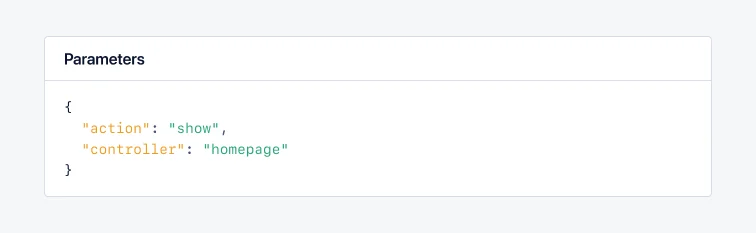
<img src="https://mintcdn.com/appsignal-715f5a51/MS9b5WO71lSfD5jG/assets/images/screenshots/sample_data/params.png?fit=max&auto=format&n=MS9b5WO71lSfD5jG&q=85&s=20e1ff3948a2f1fc3739ee2ea82a3ffb" alt="params" width="756" height="233" data-path="assets/images/screenshots/sample_data/params.png" />

## Request payload data

The AppSignal for PHP package and languages supported through our [OpenTelemetry beta](/opentelemetry) store the request query parameters and request payload data separately.
This section describes how to set the request payload data from POST requests.

You can set custom request payload data on a span.
Modifying the request payload data of a span will overwrite the data set by the AppSignal instrumentations.

[All parameters are filtered](/guides/filter-data/filter-parameters) by our integrations before being sent to our servers.

See the table below for a list of accepted root values per language. Each nested object can contain values that result in valid JSON (strings, integers, floats, booleans, nulls, etc.).

| Language | Accepted root values   |
| -------- | ---------------------- |
| Go       | JSON serialized string |
| Java     | JSON serialized string |
| PHP      | Arrays, Objects        |

The below code sample shows how to set custom request payload data:

<CodeGroup>
  ```go Go theme={null}
  // Additional setup is required to first fetch or create a new span
  import (
  	"encoding/json"

  	"go.opentelemetry.io/otel/attribute"
  	"go.opentelemetry.io/otel/trace"
  )

  payload := map[string]interface{}{
  	"param1": "value1",
  	"param2": "value2",
  	"nested": map[string]interface{}{
  		"param3": "value3",
  		"param4": "value4",
  	},
  }
  json, _ := json.Marshal(payload)
  span.SetAttributes(attribute.String("appsignal.request.payload", string(json)))
  ```

  ```java Java theme={null}
  // Additional setup is required to first fetch or create a new span
  import io.opentelemetry.api.trace.Span;
  // We're using the Jackson JSON library
  // You may need to add it to your project as a dependency
  import com.fasterxml.jackson.databind.ObjectMapper;
  import java.util.HashMap;
  import java.util.Map;

  Map<String, Object> payload = new HashMap<>();
  payload.put("param1", "value1");
  payload.put("param2", "value2");

  Map<String, String> nested = new HashMap<>();
  nested.put("param3", "value3");
  nested.put("param4", "value4");
  payload.put("nested", nested);

  try {
      ObjectMapper mapper = new ObjectMapper();
      String jsonString = mapper.writeValueAsString(payload);

      Span span = Span.current();
      span.setAttribute("appsignal.request.payload", jsonString);
  } catch (Exception e) {
      // Add error handling here
  }
  ```

  ```php PHP theme={null}
  <?php
  use Appsignal\Appsignal;

  $payload = [
      'param1' => 'value1',
      'param2' => 'value2',
      'nested' => [
          'param3' => 'value3',
          'param4' => 'value4',
      ],
  ];

  Appsignal::setPayload($payload);
  ```
</CodeGroup>

For certain languages, additional setup is required.
Please follow the instructions for these languages:

* [Go](/go/custom-instrumentation)
* [Java](/java/custom-instrumentation)

## Limitations

If the application sets request query parameters or request payload data multiple times, the Ruby gem will merge values at the root level.
For other integrations, only the last set value is stored.
