> ## Documentation Index
> Fetch the complete documentation index at: https://docs.appsignal.com/llms.txt
> Use this file to discover all available pages before exploring further.

# Broadway

export const VersionRequirements = ({versions = []}) => {
  if (!Array.isArray(versions) || versions.length === 0) {
    return null;
  }
  const boundaries = {
    upper: " or lower",
    exact: "",
    lower: " or higher"
  };
  const containerStyle = {
    marginTop: "0.5rem",
    marginBottom: "1.5rem"
  };
  const lineStyle = {
    display: "block",
    margin: "0 0 0.35rem 0",
    fontSize: "0.875rem",
    lineHeight: "1.4"
  };
  const pillBaseStyle = {
    display: "inline-block",
    padding: "0.1em 0.4em",
    borderRadius: "0.25rem",
    border: "1px solid",
    fontFamily: "ui-monospace, SFMono-Regular, Menlo, monospace",
    fontSize: "0.85em",
    fontWeight: 500
  };
  const pillColors = {
    "AppSignal for Elixir": {
      background: "#f3e8ff",
      borderColor: "#e9d5ff",
      color: "#9333ea"
    },
    "AppSignal for Front-end": {
      background: "#fef9c3",
      borderColor: "#fde68a",
      color: "#ca8a04"
    },
    "AppSignal for Go": {
      background: "#ccfbf1",
      borderColor: "#99f6e4",
      color: "#0d9488"
    },
    "AppSignal for JavaScript": {
      background: "#fef9c3",
      borderColor: "#fde68a",
      color: "#ca8a04"
    },
    "AppSignal for Node.js": {
      background: "#dcfce7",
      borderColor: "#bbf7d0",
      color: "#16a34a"
    },
    "AppSignal for Python": {
      background: "#dbeafe",
      borderColor: "#bfdbfe",
      color: "#2563eb"
    },
    "AppSignal for Ruby": {
      background: "#fee2e2",
      borderColor: "#fecaca",
      color: "#dc2626"
    },
    "AppSignal for Rust": {
      background: "#ffedd5",
      borderColor: "#fed7aa",
      color: "#ea580c"
    }
  };
  const defaultPillColor = {
    background: "#f4f4f5",
    borderColor: "#e4e4e7",
    color: "#52525b"
  };
  const getPillStyle = name => ({
    ...pillBaseStyle,
    ...pillColors[name] || defaultPillColor
  });
  const getBoundText = bound => {
    return boundaries[bound] || boundaries.lower;
  };
  return <div style={containerStyle}>
      {versions.map((v, i) => <p key={`${v.name}-${v.version}-${v.bound || "lower"}-${i}`} style={lineStyle}>
          This feature requires{" "}
          <code style={getPillStyle(v.name)}>{v.name}</code> version {v.version}
          {getBoundText(v.bound)}.
        </p>)}
    </div>;
};

<VersionRequirements
  versions={[
{ name: "AppSignal for Elixir", version: "2.18.0" },
{ name: "Broadway", version: "1.0.0" }
]}
/>

The AppSignal for Elixir package instruments operations performed by
[Broadway](https://github.com/elixir-broadway/broadway), a multi-stage data
ingestion and data processing pipeline library for Elixir, using the Telemetry
library.

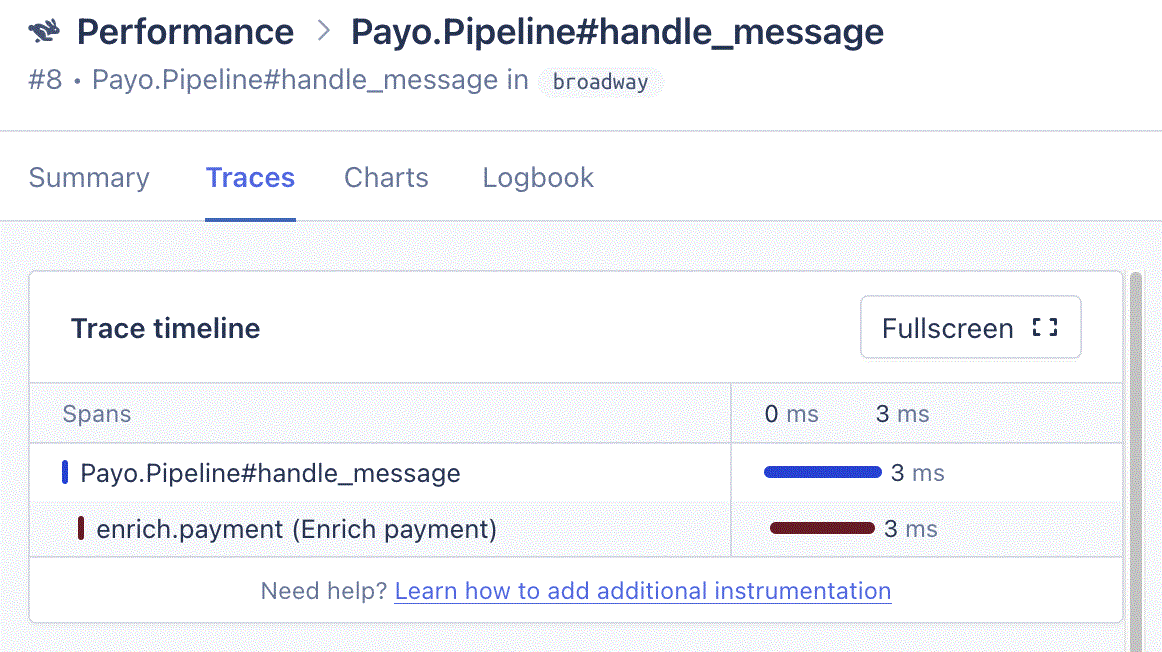
AppSignal recognizes telemetry events dispatched by Broadway and creates
performance traces:

<Frame caption="Performance trace sample from a Broadway event">
  <img
    src="https://mintcdn.com/appsignal-715f5a51/6ozcHwo36jxLcttH/assets/images/screenshots/elixir/integrations/broadway/performance-trace-timeline.png?fit=max&auto=format&n=6ozcHwo36jxLcttH&q=85&s=4321af0085eb53a42cf1647cc82136f7"
    alt="Trace timeline for a Payo.Pipeline#handle_message trace, with a child span
for enrich.payment"
    width="1162"
    height="652"
    data-path="assets/images/screenshots/elixir/integrations/broadway/performance-trace-timeline.png"
  />
</Frame>

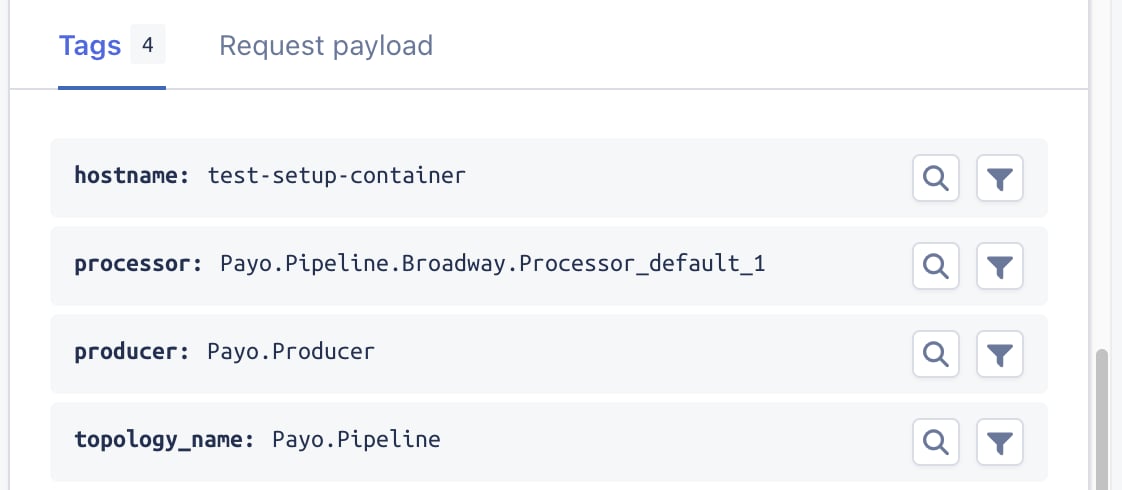
Included tags:

<Frame caption="Trace sample tags">
  <img
    src="https://mintcdn.com/appsignal-715f5a51/6ozcHwo36jxLcttH/assets/images/screenshots/elixir/integrations/broadway/performance-tags.png?fit=max&auto=format&n=6ozcHwo36jxLcttH&q=85&s=6fa8caf36ce01e10c11c1650cf6864e9"
    alt="Tags on a Broadway trace, including hostname, message, processor, producer,
and topology_name"
    width="1122"
    height="490"
    data-path="assets/images/screenshots/elixir/integrations/broadway/performance-tags.png"
  />
</Frame>

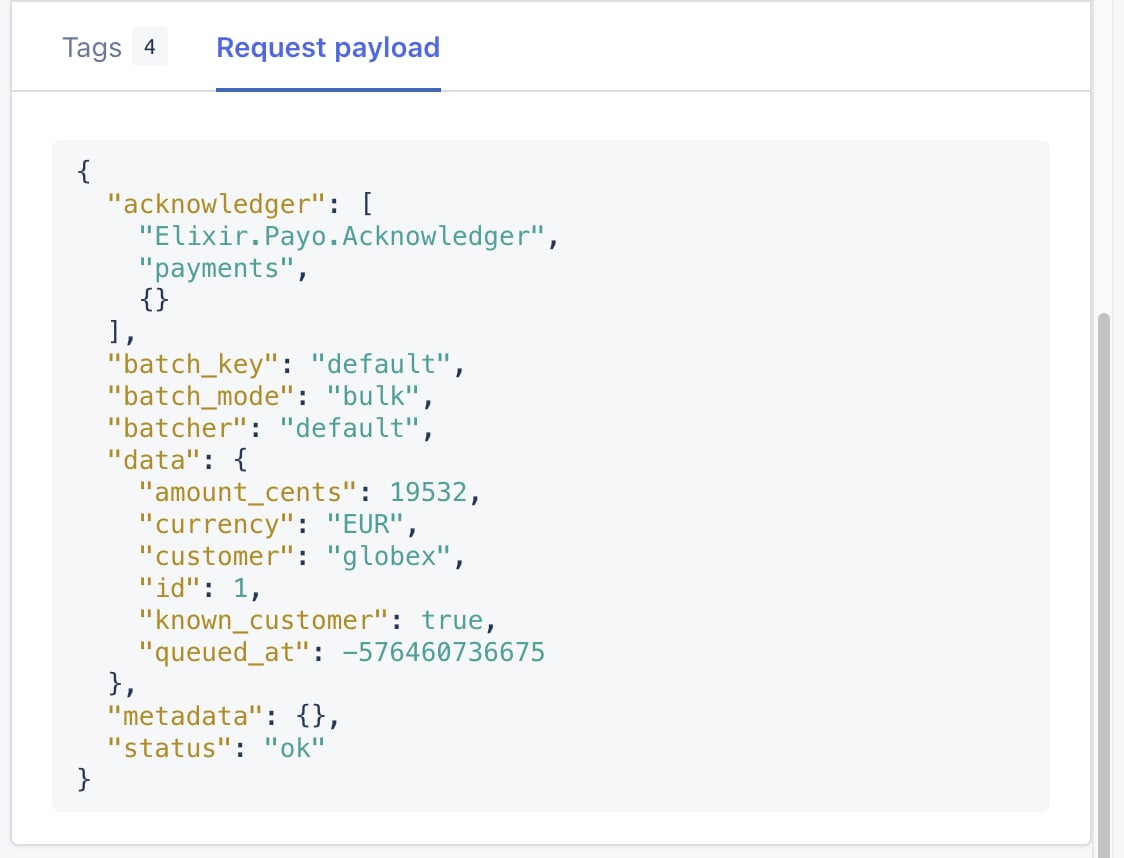
Broadway's message payload:

<Frame caption="Trace sample payload">
  <img
    src="https://mintcdn.com/appsignal-715f5a51/6ozcHwo36jxLcttH/assets/images/screenshots/elixir/integrations/broadway/performance-payload.png?fit=max&auto=format&n=6ozcHwo36jxLcttH&q=85&s=5da72ab49ed3657c646c03f69f2cb6c5"
    alt="Payload on a Broadway
trace"
    width="1124"
    height="858"
    data-path="assets/images/screenshots/elixir/integrations/broadway/performance-payload.png"
  />
</Frame>

<h2 id="automatic-instrumentation">
  Automatic Instrumentation
</h2>

Broadway is automatically instrumented, requiring no configuration.  To disable
the Broadway instrumentation, set the `instrument_broadway` [config
option](/elixir/configuration/options#option-instrument_broadway) to `false`.


This documentation is built and hosted on [Mintlify](https://mintlify.com), a developer documentation platform.