> ## Documentation Index
> Fetch the complete documentation index at: https://docs.appsignal.com/llms.txt
> Use this file to discover all available pages before exploring further.
# Link templates
AppSignal supports tagging of requests, as described in our [tagging guide][tagging-guide]. These tags make it possible
to generate URLs to your own application to deep link to pages in your own
system, such as related user profiles or blog posts.
## Tagging requests
For link templates to work AppSignal needs to have the data necessary to create
the links. Start by adding tags to request in your application.
Add the following code in a location where it's executed for the related
request, such as a `before_action` block in a Ruby on Rails application or
using Plug in the Elixir Phoenix framework.
```ruby Ruby theme={null}
# Ruby example
Appsignal.tag_request(
:user_id => current_user.id,
:account_id => current_account.id
)
```
```elixir Elixir theme={null}
# Elixir example
Appsignal.Span.set_sample_data(
Appsignal.Tracer.root_span,
"tags",
%{
locale: "en",
user_id: user_id,
stripe_customer_id: stripe_customer_id,
locale: locale,
default_locale: default_locale
}
)
```
📖 For more information about tagging requests, please read the [tagging
guide][tagging-guide].
## Log attributes
AppSignal can also generate links based on log attributes.
For more information about logging and how to add log attributes see our [logging documentation](/logging)
## Creating a link template
Link templates can be defined on AppSignal.com per application.
The "Link templates" configuration can be found in the ["App settings" section](https://appsignal.com/redirect-to/app?to=edit) in the left-hand side navigation.
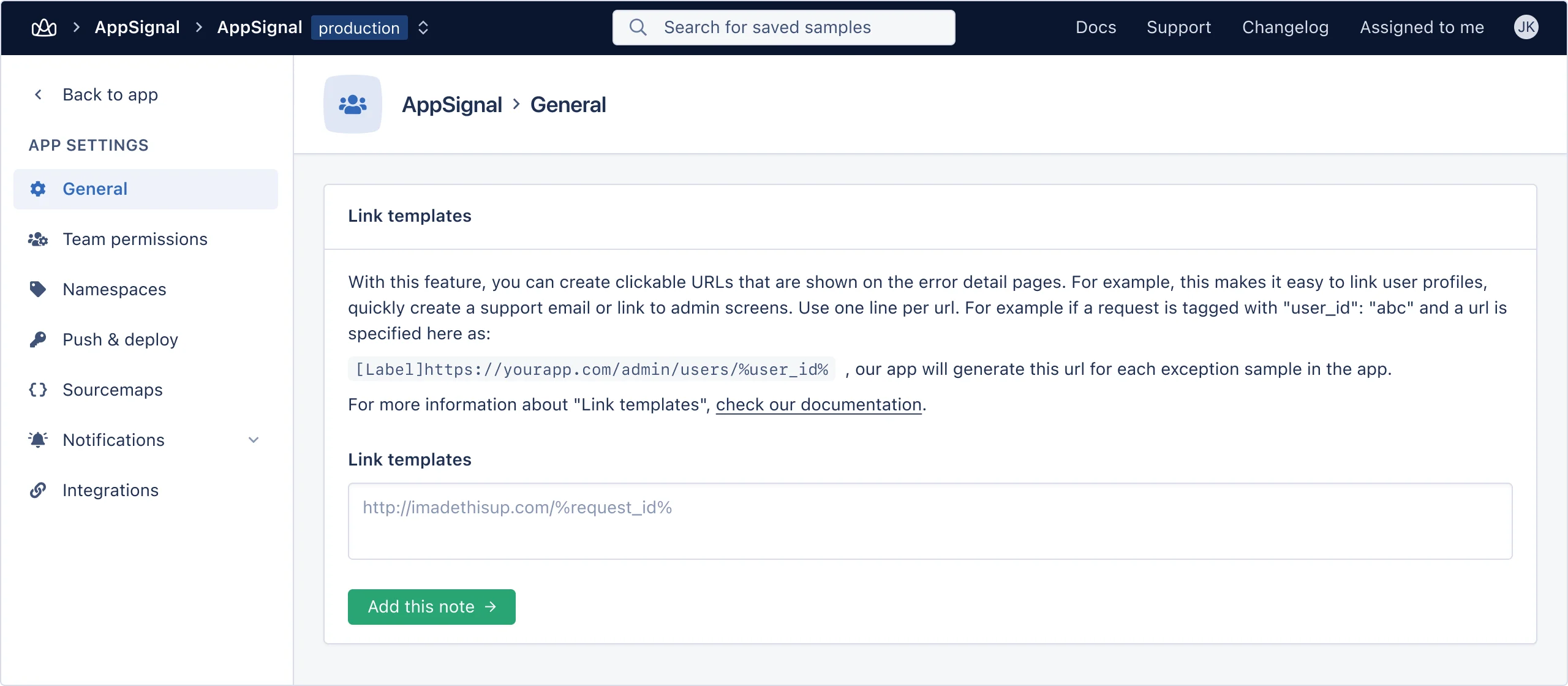 Link templates can contain variables, defined by wrapping them in percentage signs
`%%`. For example, the `user_id` tag can be used in a link like so:
```shell Shell theme={null}
https://yourapp.com/backend/users/%user_id%
```
A link can contain as many variables as you like, but in order for a link to be
generated, all variables need to be present in the tags of a request.
After adding tags in your app and defining link templates, links will be
generated for each request in the "Overview" section.
Link templates can contain variables, defined by wrapping them in percentage signs
`%%`. For example, the `user_id` tag can be used in a link like so:
```shell Shell theme={null}
https://yourapp.com/backend/users/%user_id%
```
A link can contain as many variables as you like, but in order for a link to be
generated, all variables need to be present in the tags of a request.
After adding tags in your app and defining link templates, links will be
generated for each request in the "Overview" section.
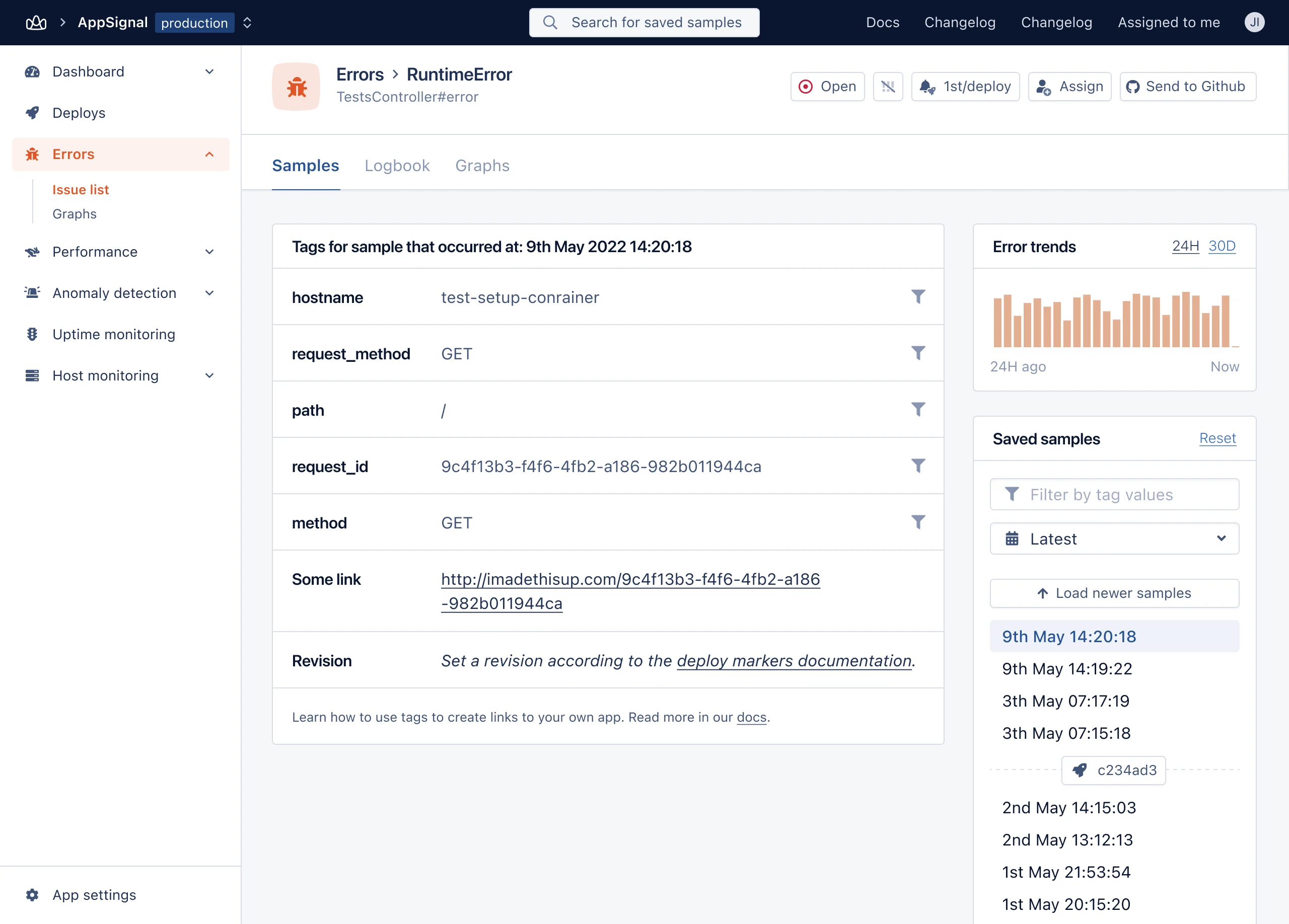 ### Customizing link names
By default the tags and links table will increment links, e.g. "Link 1", "Link 2", "Link 3". If you want to use more descriptive link names you can do so with this format:
```shell Shell theme={null}
[Backend]https://yourapp.com/backend/users/%user_id%
```
[tagging-guide]: /guides/tagging.html
### Customizing link names
By default the tags and links table will increment links, e.g. "Link 1", "Link 2", "Link 3". If you want to use more descriptive link names you can do so with this format:
```shell Shell theme={null}
[Backend]https://yourapp.com/backend/users/%user_id%
```
[tagging-guide]: /guides/tagging.html