> ## Documentation Index
> Fetch the complete documentation index at: https://docs.appsignal.com/llms.txt
> Use this file to discover all available pages before exploring further.
# Asana
> Asana is the work management platform teams use to stay focused on the goals, projects, and daily tasks that grow business. Easily organize and plan workflows, projects, and more, so you can keep your team's work on schedule.
[Asana][asana] is the work management platform teams use to stay focused on the goals, projects, and daily tasks that grow business. Easily organize and plan workflows, projects, and more, so you can keep your team's work on schedule.
Asana is a personal integration set up per user. This means it needs to be configured per user in AppSignal who want to use the Asana integration for AppSignal apps.
 ## Adding Asana to your app
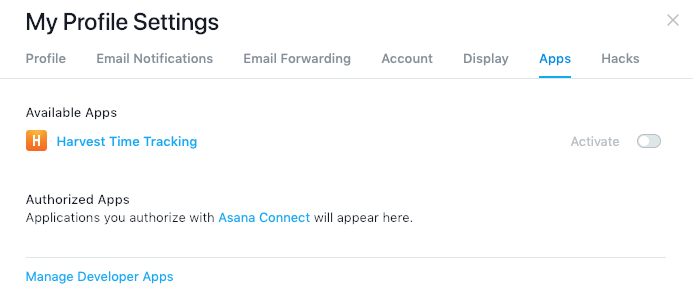
* First open [Asana][asana] and go to your "Profile settings".
* Open the "Apps" tab.
* Click on the "Manage Developer Apps" link to get your API token.
## Adding Asana to your app
* First open [Asana][asana] and go to your "Profile settings".
* Open the "Apps" tab.
* Click on the "Manage Developer Apps" link to get your API token.
 * Next, open your app on [AppSignal.com](https://appsignal.com/accounts).
* Open the "Integrations" page for the app.
* Click on "Configure" for the Asana integration.
* Paste your Asana API token in the "API token" field.
* Copy and paste the project ID of the Asana project you want to link in the "Project ID" field.
* The project ID is part of the Asana URL: `https://app.asana.com/0//board`
* Click the "create integration" button to create your Asana integration.
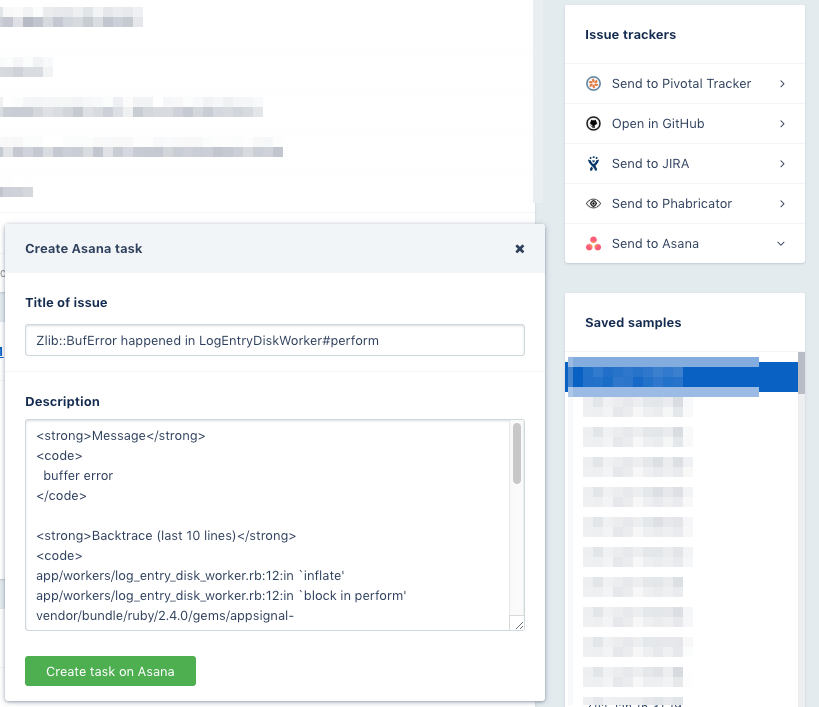
The integration has now been created! You can now send errors and performance issues to Asana from the incident details screen.
If anything went wrong while validating the integration your will be prompted with the error message.
Feel free [contact us](mailto:support@appsignal.com) if you experience any problems while setting up this integration.
[asana]: https://asana.com
* Next, open your app on [AppSignal.com](https://appsignal.com/accounts).
* Open the "Integrations" page for the app.
* Click on "Configure" for the Asana integration.
* Paste your Asana API token in the "API token" field.
* Copy and paste the project ID of the Asana project you want to link in the "Project ID" field.
* The project ID is part of the Asana URL: `https://app.asana.com/0//board`
* Click the "create integration" button to create your Asana integration.
The integration has now been created! You can now send errors and performance issues to Asana from the incident details screen.
If anything went wrong while validating the integration your will be prompted with the error message.
Feel free [contact us](mailto:support@appsignal.com) if you experience any problems while setting up this integration.
[asana]: https://asana.com
### Integrations list
* [Asana](/application/integrations/asana)
* [Discord](/application/integrations/discord)
* [Geckoboard](/application/integrations/geckoboard)
* [GitLab](/application/integrations/gitlab)
* [Google Hangouts Chat](/application/integrations/hangouts)
* [Jira](/application/integrations/jira)
* [Linear](/application/integrations/linear)
* [Microsoft Teams](/application/integrations/teams)
* [OpsGenie](/application/integrations/opsgenie)
* [PagerDuty](/application/integrations/pagerduty)
* [Shortcut](/application/integrations/shortcut)
* [Slack](/application/integrations/slack)
* [Squadcast](/application/integrations/squadcast)
* [Trello](/application/integrations/trello)
* [Webhooks](/application/integrations/webhooks)